
Transform your .doc and .docx files into professional PDF documents instantly.
Click to upload or drag and drop
.DOCX only — max 40MB
Word to PDF converter is a high-performance utility that has become a fundamental tool for digital document management. In an era where information exchange happens across diverse platforms, ensuring that your text documents maintain their visual integrity is crucial. This specialized tool allows you to take any Microsoft Word file, whether it is a legacy .doc or a modern .docx, and transform it into a universally accepted Portable Document Format. By utilizing our advanced processing engine, you can rest assured that your margins, fonts, and image alignments will remain exactly as you designed them.
Modern businesses are shifting away from paper-based workflows toward streamlined digital environments. Having a reliable word to PDF solution integrated into your daily tasks allows for faster collaboration and higher security standards. When you share a document as a PDF, you prevent unauthorized changes, ensuring that the recipient views the official and finalized version of your work. This level of professionalism is vital for legal contracts, corporate reports, and academic submissions alike.
What is Word to PDF Conversion?
Word to PDF conversion is the process of transforming editable Microsoft Word documents into the Portable Document Format. This transformation creates a fixed-layout file that looks identical on every device and operating system. Unlike Word files that can display differently depending on the software version or device, PDF files maintain consistent formatting regardless of where they are opened.
Word to PDF conversion involves translating the dynamic content of a Word document into a static, self-contained format. The PDF format encapsulates all fonts, images, graphics, and layout information within a single file. This means the recipient does not need the original fonts installed on their computer to view the document correctly. The conversion process ensures that every element stays precisely where you placed it.
Word to PDF technology has evolved significantly over the past decade. Modern converters use sophisticated algorithms to parse Word document structures and recreate them faithfully in PDF format. These tools handle complex elements like embedded spreadsheets, charts, footnotes, endnotes, headers, footers, and watermarks. The result is a professional document that preserves the original author’s intent while gaining the universal compatibility of the PDF standard.
Why Users Need to Convert Word Files into PDF Format
Word to PDF conversion is essential for anyone who needs to share documents professionally. When you send a Word file, the recipient can accidentally or intentionally modify your content. This creates problems for contracts, proposals, official reports, and any document where accuracy and finality matter. Converting to PDF locks the content and prevents unwanted changes.
Word to PDF conversion solves the compatibility problem that plagues Word documents. Different versions of Microsoft Office, alternative word processors like LibreOffice or Google Docs, and mobile apps can all display the same Word file differently. Fonts may substitute, spacing may shift, and images may move. PDF eliminates these variables by creating a single, consistent viewing experience.
Word to PDF conversion is necessary for legal and regulatory compliance. Many government agencies, courts, and professional bodies require documents to be submitted in PDF format. This ensures that the submitted document cannot be altered after submission and that all reviewers see exactly the same content. Academic institutions also prefer PDF for thesis submissions and research papers.
Word to PDF conversion helps with document archiving and long-term preservation. PDF files are designed to be self-contained and future-proof. They do not rely on specific software versions or operating systems. A PDF created today will still be readable decades from now, making it the ideal format for storing important records, certificates, and historical documents.
Benefits of Using a Word to PDF Converter
Word to PDF converters offer numerous advantages for both personal and professional use. The primary benefit is preserving document fidelity. When you convert a Word file to PDF, the resulting document looks exactly like the original, with all formatting, fonts, colors, and images intact. This consistency is crucial for maintaining a professional image.
Word to PDF converters provide enhanced security features. PDF files can be password-protected, encrypted, and restricted from printing or copying. This level of control is impossible with standard Word documents. Businesses use these features to protect sensitive information, intellectual property, and confidential communications.
Word to PDF converters save time and reduce frustration. Instead of worrying whether your document will display correctly on someone else’s computer, you can convert it once and share it confidently. This eliminates the back-and-forth emails asking recipients to confirm they can read your file properly. Time saved on document troubleshooting can be spent on more productive tasks.
Word to PDF converters support universal accessibility. PDF files can be opened on virtually any device with a free PDF reader. This includes smartphones, tablets, computers, and even some e-readers. The recipient does not need to purchase expensive software to view your document, making PDF the most inclusive document format available.
How the Word to PDF Tool Works Step by Step
Word to PDF conversion through our online tool is designed to be simple and intuitive. The process begins when you upload your Word document to our secure server. Our system immediately begins analyzing the file structure, identifying all text elements, images, tables, and formatting instructions contained within the document.
Word to PDF conversion proceeds by mapping each element from the Word format to its PDF equivalent. Our engine reads the document’s XML structure and translates it into PDF commands. This includes converting paragraph styles, font specifications, color values, image placements, and page layout parameters. The conversion happens entirely in your browser for maximum privacy.
Word to PDF conversion completes when the new PDF file is generated and made available for download. The entire process typically takes only a few seconds, even for large documents with many pages. Once complete, you can download the PDF file directly to your device. The original Word file and the converted PDF are never stored on our servers, ensuring complete confidentiality.
Word to PDF conversion quality depends on the complexity of the original document. Simple text documents convert instantly with perfect accuracy. Documents with complex tables, embedded charts, or custom fonts may require slightly more processing time. Our advanced engine handles these complexities automatically, producing professional results every time.
Key Features of the Word to PDF Converter
Word to PDF converters come with a variety of features designed to make document conversion seamless. Our tool supports both .doc and .docx file formats, ensuring compatibility with documents created in any version of Microsoft Word. This broad support means you never have to worry about whether your file will work with our converter.
Word to PDF conversion with our tool preserves hyperlinks and bookmarks. If your Word document contains clickable links to websites or internal document references, these remain functional in the resulting PDF. This is especially important for reports, e-books, and digital brochures where navigation matters.
Word to PDF conversion maintains document metadata. Information such as author name, title, subject, and keywords are transferred to the PDF file. This helps with document organization and searchability, especially in large digital libraries where finding the right file quickly is essential.
Word to PDF conversion handles images with care. Our tool preserves the original resolution and quality of embedded images while optimizing file size for easy sharing. Whether your document contains photographs, diagrams, charts, or logos, they will appear crisp and clear in the final PDF output.
Advantages of PDF Files Compared with Word Documents
Word to PDF conversion highlights the fundamental differences between these two popular formats. Word documents are designed for editing and collaboration. They are dynamic files that can change based on the software, fonts, and settings available on the viewing computer. This flexibility is useful during the creation process but becomes a liability when sharing finalized content.
Word to PDF conversion creates files that are inherently more secure. PDF documents can be locked against editing, copying, and printing. Digital signatures can be applied to verify authenticity. These security features make PDF the preferred format for contracts, official forms, and sensitive communications where document integrity is paramount.
Word to PDF conversion produces smaller file sizes in many cases. PDF uses advanced compression algorithms for both text and images. This makes PDF files easier to email, upload to websites, and store on devices with limited storage capacity. Smaller files also load faster when viewed online, improving the user experience.
Word to PDF conversion ensures consistent printing results. When you print a Word document, the output can vary depending on the printer, drivers, and settings. PDF files contain precise printing instructions that produce identical results on any printer. This reliability is essential for professional printing of brochures, flyers, and marketing materials.
How PDF Conversion Keeps Original Formatting Safe
Word to PDF conversion excels at preserving the visual appearance of your documents. The conversion process captures every detail of your original formatting, including margins, line spacing, paragraph indentation, and text alignment. What you see in Word is exactly what you get in the PDF output.
Word to PDF conversion embeds fonts directly into the PDF file. This means the document will display correctly even if the viewer does not have the same fonts installed on their computer. Font embedding prevents the substitution problems that often ruin the appearance of shared Word documents. Your carefully chosen typography remains intact.
Word to PDF conversion preserves image positioning and quality. Images embedded in Word documents are extracted and placed in the PDF at their exact original coordinates. The resolution and color depth are maintained, ensuring that photographs, diagrams, and illustrations look as good in the PDF as they did in the original document.
Word to PDF conversion maintains complex layout elements. Multi-column layouts, text boxes, tables with merged cells, and custom page sizes are all faithfully reproduced. Even documents with watermarks, background colors, and border decorations convert accurately. This attention to detail is what separates professional converters from basic alternatives.
Privacy and Security Benefits of Online Word to PDF Conversion
Word to PDF conversion through our online tool prioritizes your privacy. Unlike desktop software that may store conversion history or temporary files on your computer, our browser-based tool processes everything locally. Your documents never leave your device unless you choose to upload them to our secure server.
Word to PDF conversion with our service includes automatic file deletion. Any files temporarily stored on our servers during the conversion process are permanently deleted within one hour. We do not keep copies, backups, or logs of your document content. This policy ensures that sensitive information remains confidential.
Word to PDF conversion benefits from SSL encryption. All data transferred between your browser and our servers is protected by industry-standard encryption protocols. This prevents unauthorized interception of your documents during upload and download. Your files are as secure as online banking transactions.
Word to PDF conversion does not require account creation or personal information. You can convert documents anonymously without providing your name, email address, or any identifying details. This zero-knowledge approach to document conversion protects your identity and eliminates the risk of data breaches associated with user accounts.
Uses of Word to PDF Conversion for Different Users
Word to PDF conversion serves students who need to submit assignments, research papers, and dissertations. Educational institutions typically require PDF submissions to prevent last-minute editing and ensure fair evaluation. Students also use PDF to create professional portfolios and resumes that display consistently on any device.
Word to PDF conversion helps teachers and educators distribute course materials. Syllabi, lecture notes, and reading lists converted to PDF cannot be accidentally modified by students. This ensures that everyone is working from the same version of the document throughout the academic term.
Word to PDF conversion supports businesses in creating professional proposals and contracts. Sales teams convert proposals to PDF before sending them to clients, ensuring that pricing and terms cannot be altered. Legal departments rely on PDF for contracts that require signatures and official timestamps.
Word to PDF conversion assists office workers in standardizing document distribution. Human resources departments convert policy manuals and employee handbooks to PDF for consistent distribution. Marketing teams convert brochures and presentations to PDF for reliable sharing with clients and partners.
Word to PDF conversion empowers freelancers to deliver polished work to clients. Graphic designers, writers, and consultants convert their deliverables to PDF to prevent unauthorized modifications. This professional practice builds trust and protects intellectual property.
Word to PDF conversion benefits professionals in regulated industries. Healthcare providers convert patient forms and medical reports to PDF for secure storage and transmission. Financial advisors convert investment reports to PDF for client records. Architects and engineers convert technical specifications to PDF for construction documentation.
How Word to PDF Helps with Document Sharing and Printing
Word to PDF conversion simplifies document sharing across different platforms and devices. When you send a PDF file, you know the recipient will see exactly what you intended. There are no surprises with missing fonts, shifted images, or broken layouts. This reliability is essential for professional communication.
Word to PDF conversion makes email attachments more reliable. PDF files are universally accepted by email systems and rarely trigger spam filters. Recipients can open PDF attachments on any device without needing specific software licenses. This universal compatibility reduces support requests and communication delays.
Word to PDF conversion improves printing accuracy. PDF files contain precise instructions for printers, specifying exactly where each element should appear on the page. This eliminates the formatting problems that often occur when printing Word documents on different printers or using different driver versions.
Word to PDF conversion enables digital publishing. Bloggers, authors, and content creators convert their written work to PDF for distribution as e-books, white papers, and downloadable guides. PDF format ensures that the published content looks professional and reads well on all screen sizes.
Common Issues Solved by Converting Word Documents into PDF Files
Word to PDF conversion solves the font substitution problem that affects many shared documents. When a Word file is opened on a computer without the original fonts, the system replaces them with available alternatives. This can completely change the document’s appearance. PDF embeds fonts to prevent this issue entirely.
Word to PDF conversion fixes layout shifting caused by different software versions. A document created in the latest version of Microsoft Office may look different when opened in older versions. PDF locks the layout, ensuring consistency regardless of when or where the file is viewed.
Word to PDF conversion addresses file corruption risks. Word documents with complex formatting or macros can become corrupted, rendering them unreadable. PDF files are more stable and less prone to corruption. Converting important documents to PDF provides an additional layer of protection.
Word to PDF conversion resolves compatibility issues with non-Microsoft software. Users of Google Docs, Apple Pages, LibreOffice, and other word processors often struggle with Word file compatibility. PDF eliminates these concerns by providing a format that every system can open reliably.
Why Users Should Choose This Word to PDF Tool
Word to PDF conversion with our tool is completely free with no hidden costs. Many online converters limit the number of conversions, add watermarks to output files, or require paid subscriptions for basic features. Our tool offers unlimited conversions with professional-quality results at zero cost.
Word to PDF conversion through our platform requires no software installation. You can convert documents directly from your web browser on any device. This convenience saves disk space, eliminates update hassles, and allows you to convert documents from anywhere with internet access.
Word to PDF conversion with our tool is fast and efficient. Our optimized processing engine converts most documents in seconds. There are no long queues, no waiting times, and no processing limits. Upload your file, click convert, and download your PDF immediately.
Word to PDF conversion quality is our top priority. We continuously improve our conversion engine to handle increasingly complex documents. From simple letters to multi-chapter reports with tables of contents, our tool delivers accurate results that meet professional standards.
Difference Between Word Documents and PDF Files
Word to PDF conversion transforms documents from an editable format to a fixed format. Word files are designed for creation and modification. They contain instructions that tell the software how to display the content, but these instructions can be interpreted differently by different programs. PDF files contain the final rendered output, ensuring identical display everywhere.
Word to PDF conversion changes how documents interact with users. Word files invite editing. They open in word processors with toolbars, rulers, and formatting options visible. PDF files present content in a clean, read-only format that focuses attention on the message rather than the editing tools.
Word to PDF conversion affects file dependencies. Word documents often rely on external resources such as linked spreadsheets, embedded fonts, and template files. If these resources are missing, the document may not display correctly. PDF files are self-contained, carrying all necessary resources within the single file.
Word to PDF conversion impacts document longevity. Word formats evolve with each new software version, and older files may become difficult to open. PDF is an open standard maintained by the International Organization for Standardization. PDF files created today will remain accessible for generations.
Benefits of Fast and Easy Online Document Conversion
Word to PDF conversion online saves valuable time. Instead of opening desktop software, navigating menus, and waiting for programs to load, you simply upload your file to our website and receive your PDF in seconds. This efficiency is especially valuable when converting multiple documents or working under deadline pressure.
Word to PDF conversion online reduces technical barriers. Users who are not familiar with advanced software features can still convert documents successfully. Our intuitive interface requires no training or technical knowledge. If you can browse the internet, you can convert documents to PDF.
Word to PDF conversion online supports remote work. Team members working from different locations can access the same conversion tool without needing identical software installations. This standardization simplifies collaboration and ensures that everyone produces documents in the same professional format.
Word to PDF conversion online eliminates version compatibility issues. Desktop software requires regular updates to maintain compatibility with new file formats. Online tools are maintained by the service provider, ensuring that you always have access to the latest conversion technology without manual updates.
Tips for Creating Professional PDF Documents
Word to PDF conversion produces the best results when you prepare your Word document carefully. Use standard fonts that are widely available and embed well in PDF format. Arial, Times New Roman, Calibri, and Helvetica are excellent choices for maximum compatibility.
Word to PDF conversion benefits from consistent styling. Use Word’s built-in heading styles rather than manually formatting text. This creates a proper document structure that converts into PDF bookmarks and improves navigation. Well-structured documents are also more accessible to screen readers.
Word to PDF conversion quality improves with optimized images. Compress large images before inserting them into your Word document. This reduces the final PDF file size without noticeably affecting visual quality. Smaller files are easier to email and faster to download.
Word to PDF conversion looks more professional with proper page setup. Set appropriate margins, use consistent page sizes, and avoid excessive blank pages. A well-formatted Word document will convert into a polished PDF that reflects positively on your professionalism.
What is a Word to PDF converter?
A specialized Word to PDF converter is a software application designed to interpret the complex XML data structure of a Word document and translate it into the static vector-based language of a PDF. Word files are “flow-based,” meaning the text can shift depending on the screen size or the version of Microsoft Office being used. In contrast, a PDF is “layout-based,” locking every character and graphic into a fixed coordinate system. This conversion is the best way to ensure that your client or professor sees exactly what you see on your screen.
This technology handles the heavy lifting of font embedding and image compression. When you share a Word file, the recipient might not have the specific fonts you used, leading to “font substitution” errors that can ruin your layout. Converting to PDF embeds those font characters directly into the file. If you are handling large reports, you may also find that you need to merge PDF files together after conversion to create a single comprehensive volume of work.
Why use our Word to PDF converter?
Our word to PDF converter is built with a focus on two things: speed and quality. Most free online tools add annoying watermarks or restrict the number of files you can process. Our platform provides a 100% free experience with no hidden costs. We utilize high-speed cloud clusters to process your files in seconds, meaning you don’t have to wait for long queues to finish your urgent tasks. Efficiency is at the heart of our design, ensuring a seamless SaaS-style experience for every user.
Reliability is another major factor. While many tools struggle with complex tables or mathematical equations found in academic papers, our engine respects Word’s original spacing rules. If your document is part of a larger project, you can use our split PDF tool to separate specific sections or our pdf compressor to reduce the file size for email attachments. We aim to be the only document suite you will ever need.
Key Features of the Word to PDF converter
The core of our word to PDF converter includes high-fidelity output. We ensure that high-resolution images are not overly compressed, maintaining the professional look of your brochures and resumes. Furthermore, our tool supports batch conversion, allowing you to upload multiple files at once. This is a game-changer for administrative assistants or students who need to convert an entire semester’s worth of assignments in one go.
Another impressive feature is the preservation of hyperlinks and document bookmarks. If you have a table of contents in your Word file, the generated PDF will maintain those interactive elements. This makes your documents much easier to navigate for the end reader. For those working with diverse formats, we also offer a Excel to PDF tool and a PowerPoint to PDF converter to ensure all your office files are ready for distribution.
Step-by-Step Guide for the Word to PDF converter
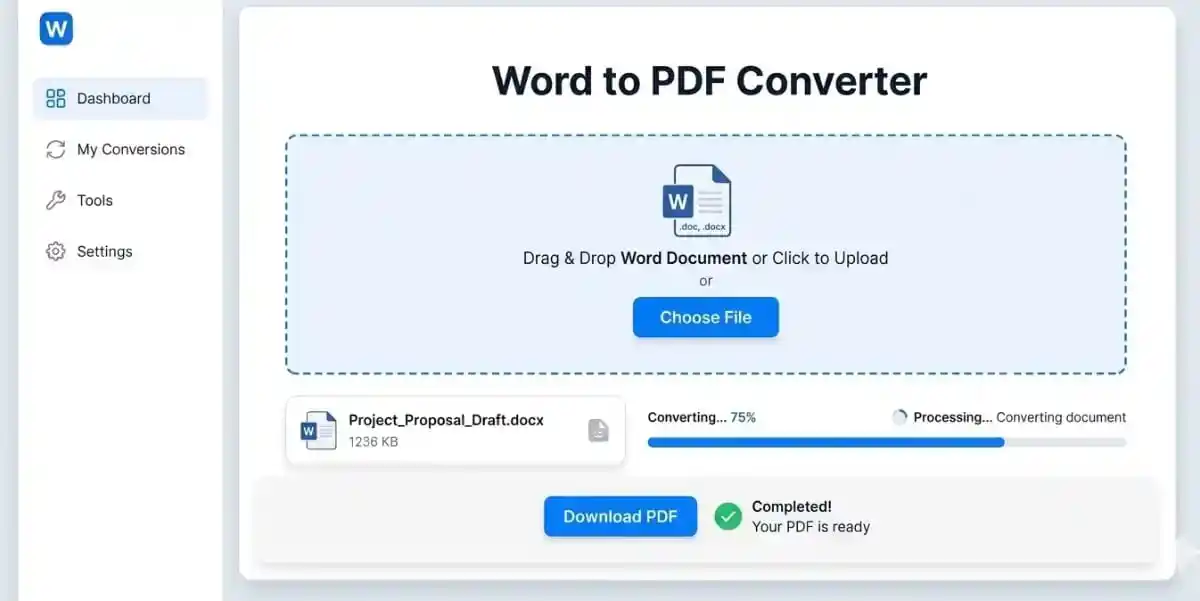
Starting with the word to PDF converter is extremely simple. First, navigate to the top of this page and locate the blue dashed upload box. You can either drag your .doc or .docx file directly from your computer folders or click the box to open your file browser. Once you select the file, the tool will display a preview with the file name and size so you can verify that you have the correct document.
Second, click the “Convert to PDF” button. A progress bar will appear, showing you the real-time status of the operation. Behind the scenes, our servers are rendering your document and converting the XML data. Once the bar reaches 100%, the download button will turn green. Finally, click “Download PDF” to save your new file. If you need to clean up your document further, you can use our remove watermark tool to ensure your professional presentation is perfect.
Benefits for Professionals using a Word to PDF converter
In the professional world, using a word to PDF converter is about building trust. Sending a Word document for a contract or a proposal looks unprofessional because it can be easily edited by the recipient. A PDF signifies that the document is a “final” version. Legal professionals, in particular, rely on PDFs because they can be digitally signed and are admissible in most court systems worldwide as stable records. For those managing long reports, adding navigation aids like add page numbers after conversion adds another layer of professional polish.
Medical and HR professionals also find immense value in this tool. Sensitive records should always be shared as PDFs to prevent accidental data entry errors. If you have converted a file but realized you need to make one more text change, don’t worry—you can use our PDF to Word tool to revert the file, edit it, and then convert it back. This flexibility ensures that your workflow is never interrupted by format limitations.
The Technical Side of Conversion
You might wonder how a word to PDF converter actually works. Microsoft Word files are essentially a collection of compressed XML files that define the styles, properties, and content of the document. Our converter parses this XML data, maps the defined styles to PDF-compliant commands, and generates a new file using the PostScript language. This ensures that even the most complex formatting, such as nested tables or custom bullet points, is captured with high fidelity.
Accessibility is another pillar of our technical approach. The PDFs generated by our tool are “Tagged PDFs,” meaning they include metadata that allows screen readers to interpret the structure of the document. This is vital for government and educational institutions that must follow strict accessibility laws. By choosing a high-quality converter, you are making your content available to everyone, regardless of their physical abilities or the assistive technologies they use.
Formatting and Design Optimization
To get the best results when converting, you should consider the use of standard fonts. While our engine is robust, using universally recognized fonts like Arial, Times New Roman, or Calibri ensures the highest level of compatibility. Additionally, keeping your image resolutions at a reasonable level (around 300 DPI for print, 72 DPI for web) will help keep the final PDF file size manageable for email attachments and cloud storage.
Another tip for optimization is the use of proper section breaks instead of multiple empty paragraphs. Word processors handle section breaks more consistently, which translates to cleaner page transitions in the final PDF. If you are designing a brochure or a technical manual, using the native Table of Contents feature in Word will allow our converter to generate clickable bookmarks in the PDF, vastly improving the user experience for your readers.
Compliance and Legal Standards
In many industries, the PDF format is more than a convenience—it is a legal requirement. Regulatory bodies such as the FDA in the United States or the European Medicines Agency (EMA) require documentation to be submitted in specific PDF/A formats for long-term archiving. Our tool generates files that are compatible with these global standards, ensuring that your records remain readable for decades to come without degradation or loss of information.
Furthermore, digital signatures and timestamps are much easier to manage within a PDF framework. By converting your Word documents first, you create a stable platform for adding cryptographic signatures that prove the document’s authenticity. This is the cornerstone of modern e-commerce and digital governance, allowing for secure transactions across borders without the need for physical presence or paper-based mailing systems.
Digital Transformation Trends
As we move deeper into the 21st century, the concept of a “paperless office” is becoming a reality. Tools that facilitate this transformation, like our online converter, are helping organizations reduce their carbon footprint and save on physical storage costs. Digital documents are easier to search, organize, and backup, making them superior to paper in almost every measurable way for modern enterprise environments.
The integration of AI and machine learning into document conversion is the next frontier. Soon, converters will be able to intelligently summarize content or automatically translate languages during the transformation process. We are committed to staying at the forefront of these technological advancements, ensuring that our users always have access to the most cutting-edge document management solutions available on the open web.
Frequently Asked Questions
Is the Word to PDF converter free to use?
Yes, our word to PDF converter is 100% free. You can convert documents without any subscription or hidden fees. We believe in providing essential tools for the digital community at no cost. You can process multiple files throughout the day without hitting restrictive paywalls.
Will my document’s formatting stay the same?
Absolutely. Our word to PDF converter is designed to preserve your fonts, images, and layouts with 99.9% accuracy. It is specifically optimized to handle the intricate details of Microsoft Word’s formatting rules, including complex tables and nested lists.
Is it safe to upload my private documents?
We prioritize your privacy above all else. All files are encrypted during transfer using SSL. Furthermore, our system automatically deletes all uploaded and converted files from our servers after 1 hour to ensure your data remains your own and is never accessed by third parties.
Can I convert a Word file on my mobile phone?
Yes! Our website is fully responsive and mobile-friendly. You can upload and convert files directly from your iPhone, Android, or tablet browser without installing any apps. The cloud-based processing ensures that your phone’s battery and memory are not heavily used.
What file formats does the word to PDF converter support?
Our word to PDF converter supports both .doc and .docx file formats. The .docx format is the modern standard used by Microsoft Word 2007 and later versions, while .doc is the legacy format used by older versions. Both formats convert with equal accuracy and speed.
Does the converted PDF maintain hyperlinks from the original Word document?
Yes, our word to PDF converter preserves all hyperlinks from your original Word document. Clickable links to websites, email addresses, and internal document bookmarks remain fully functional in the resulting PDF file.
Can I convert multiple Word files to PDF at once?
Currently, our word to PDF converter processes one file at a time to ensure maximum quality and accuracy. However, the conversion process is extremely fast, typically completing in just a few seconds per document.
Will the PDF file size be larger than the original Word document?
In most cases, the PDF file will be similar in size or slightly smaller than the original Word document. Our word to PDF converter uses intelligent compression to optimize images and fonts while maintaining visual quality.
Can I edit the PDF after converting from Word?
PDF files are designed to be read-only for stability and security. However, if you need to make changes, you can use our PDF to Word tool to convert the PDF back to an editable format, make your changes, and then convert back to PDF.
Conclusion
In summary, our word to PDF converter is the ultimate solution for anyone looking to bridge the gap between editable text and stable, professional documents. By offering a fast, secure, and accurate conversion process, we empower users across the globe to communicate their ideas more effectively. We invite you to explore our full range of PDF management tools to see how we can simplify your digital life through automation and high-quality software engineering.
Thank you for choosing PixaPDF Tools. Whether you are a small business owner, a dedicated student, or a corporate executive, we are here to support your document conversion needs. For more information on document standards, you can visit the ISO PDF Standards or check out Microsoft Office Deployment for developer insights. You might also find the W3C Accessibility Guidelines useful for creating inclusive content.
Ready to start your first conversion? Scroll back to the top and experience the best free document utility on the web. We look forward to helping you with your next project and are committed to providing the best tools for your digital journey!