PixaPDF Tools Image Compressor Image Resize 100% Free Online
PixaPDF Tools free online platform that provides powerful PDF tools to manage your documents easily
Add Page NumbersAdd page numbers to your PDF.
Add WatermarkAdd text watermark to PDF.
Crop PDFCrop PDF pages to custom dimensions.
Merge PDFCombine multiple PDFs into one file.
PDF CompressorReduce PDF file size without losing quality.
Protect PDFAdd password protection to your PDF.
Rearrange PDFReorder pages in a PDF document.
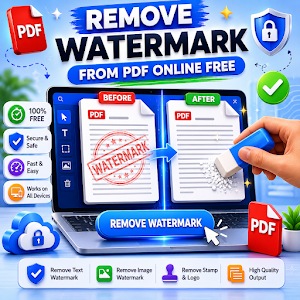
Remove WatermarkRemove watermarks from PDF files.
Rotate PDFRotate PDF pages to any angle.
Split PDFSplit a PDF into separate pages.
Unlock PDFRemove password protection from PDF.
CSS Background PatternGenerate CSS background patterns.
CSS Border Radius GeneratorGenerate CSS border radius styles.
CSS Box Shadow GeneratorGenerate CSS box shadow effects.
CSS Clip Path GeneratorGenerate CSS clip-path shapes.
CSS Gradient GeneratorCreate beautiful CSS gradients.
Glassmorphism GeneratorCreate glassmorphism CSS effects.
Frequently Asked Questions
PixaPDF Tools is a free online collection of practical tools designed to help users work with PDF files, images, text, calculators, colors, CSS, and everyday utilities directly from a web browser.The platform includes PDF editing and conversion tools, image compression and resizing tools, text utilities, calculators, color tools, CSS generators, QR and barcode tools, password utilities, URL shorteners, and other helpful online resources.You can use the tools for common tasks such as converting files, merging or splitting PDFs, resizing images, calculating values, generating CSS code, creating QR codes, and performing quick text-related operations without installing separate desktop software.
PixaPDF Tools provides a wide selection of PDF utilities for common document management tasks. You can add page numbers, add watermarks, crop PDF pages, merge multiple PDF files, compress documents, rearrange pages, rotate pages, split PDFs, and unlock supported PDF files.The platform also includes PDF conversion options such as Excel to PDF, HTML to PDF, PowerPoint to PDF, and Word to PDF. These tools are designed to make everyday document processing easier without requiring a dedicated PDF application.Additional PDF image conversion tools allow you to convert JPG to PDF, PNG to PDF, PDF to JPG, PDF to PNG, JPG to PNG, and PNG to JPG depending on the task you need to complete.
Yes. PixaPDF Tools includes several browser-based image utilities for common image editing and optimization tasks. You can resize images, crop images, compress image files, remove backgrounds, and work with supported image formats online.The image tools are useful when you need to reduce file size, change image dimensions, prepare an image for another platform, or perform a quick adjustment without opening a large desktop application.The platform also provides image conversion and color-related utilities, including JPG and PNG conversion, image color picking, average color finding, color palette generation, and image-to-Base64 conversion.
PixaPDF Tools includes several online calculators for different types of everyday and financial calculations. Available options include an age calculator, BMI calculator, EMI calculator, percentage calculator, and scientific calculator.These calculators are designed to provide quick results through a simple browser interface. You can enter the required values and use the appropriate calculator instead of manually working through formulas.The scientific calculator is useful for more advanced mathematical operations, while the age, BMI, EMI, and percentage calculators are focused on specific calculation needs.
Yes. The platform contains several text-focused utilities that can help with common writing and formatting tasks. These include a Lorem Ipsum generator, extra-space remover, text case converter, text handwriting tool, and word counter.The Lorem Ipsum generator can create placeholder text for designs, layouts, websites, and development projects. The extra-space remover can help clean unnecessary spaces from text.The text case converter and word counter are useful for preparing and reviewing written content, while the handwriting tool provides an additional way to transform or present text online.
PixaPDF Tools includes multiple CSS generators that can help developers and designers create common visual effects and styles more quickly. These tools provide practical options for generating CSS code without manually writing every property from scratch.Available CSS utilities include CSS background pattern generators, CSS border-radius generators, CSS box-shadow generators, CSS clip generators, CSS gradient generators, and glassmorphism generators.These tools can be useful when designing websites, testing visual styles, creating interface components, or experimenting with different CSS effects. The generated code can then be reviewed and adapted to match the requirements of your project.
PixaPDF Tools provides several color-focused utilities for users who work with images, websites, graphics, and digital designs. Available tools include an average color finder, color palette generator, and image color picker.The image color picker can help identify colors from an image, while the average color finder can determine a representative color based on an image. The color palette generator can be useful when you need multiple coordinated colors for a design or project.There is also an image-to-Base64 tool for converting supported images into Base64 data that can be used in suitable web development and coding situations.
Yes. In addition to PDF, image, text, calculator, and CSS utilities, PixaPDF Tools also includes several general-purpose online tools for everyday tasks.The utility section includes QR code and barcode-related tools, a password generator, and a URL shortener. These tools are designed to provide quick access to common functions from a single online platform.The platform also includes fun and interactive tools such as a random picker and wheel spin tool, which can be useful for making random selections, choosing between options, or creating simple decision-making activities.
Yes. PixaPDF Tools is designed as a browser-based platform, so you can access its online utilities from supported phones, tablets, laptops, and desktop computers.You do not need to install a separate application just to access the website tools. Open the platform in a web browser, choose the tool you need, and follow the instructions provided by that tool.Because different tools perform different tasks, the available options and supported file types can vary from one tool to another. It is always best to check the individual tool interface before processing a file.
PixaPDF Tools brings many common online utilities together in one platform instead of requiring users to search for a separate website for every small task. This can make everyday file and content-related work more convenient.You can move between PDF tools, image tools, text utilities, calculators, color tools, CSS generators, and general utilities according to your needs. This makes the platform useful for students, content creators, designers, developers, office users, and anyone who regularly works with digital files.The collection is intended to provide simple browser-based solutions for frequent tasks such as converting, compressing, resizing, calculating, formatting, generating, editing, and organizing digital content.