
CSS Background Pattern Generator is the most efficient way to build modern web designs. Start creating beautiful backgrounds instantly without writing a single line of complex code manually. Our tool allows for rapid experimentation with 50+ unique colors, scales, and geometric shapes to fit any UI design perfectly.
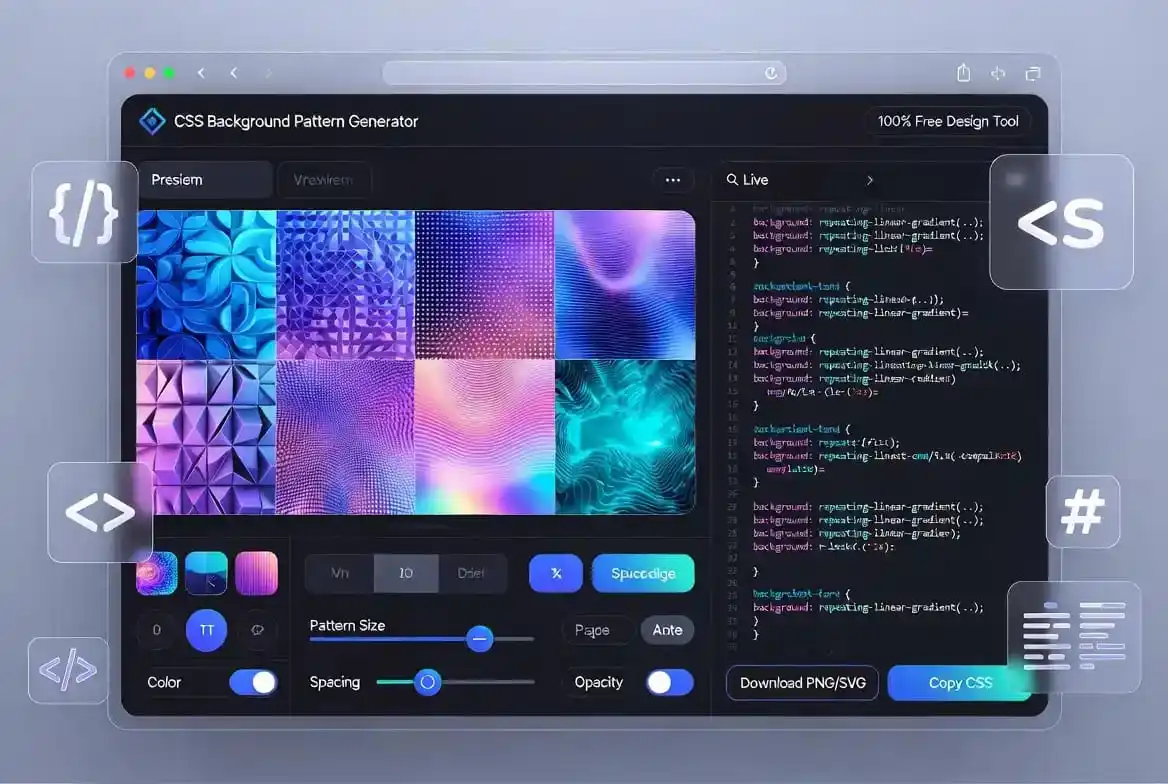
CSS Background Pattern Generator: Your Modern Design Partner
CSS Background Pattern Generator provides a seamless experience for developers and designers alike. Web design is an ever-evolving field where visual appeal dictates user engagement rates significantly. Creating custom patterns from scratch using CSS linear gradients can be quite a daunting task for beginners.
By using this tool, you can skip the mathematical complexity of calculating background positions and sizes. Our tool handles all the heavy lifting, ensuring that the generated code is clean and browser-compatible. This is essential for maintaining a high-quality user interface across different screen sizes and devices.
Whether you are building a landing page, a dashboard, or a creative blog, backgrounds play a vital role. A well-chosen pattern adds depth and texture without distracting the user from the primary content. This balance is what separates professional web design from amateur work in today’s competitive market.
You can explore more about web standards at the W3C Official Website. Understanding the core principles of web styling allows you to use our generator more effectively. It empowers you to make informed decisions about color contrast and accessibility requirements for all users.
CSS Background Pattern Generator for Efficiency
CSS Background Pattern Generator is built specifically to save time during the rapid prototyping phase. In the world of agile development, every minute spent on manual CSS coding is a minute lost elsewhere. Our generator allows you to experiment with hundreds of variations in just a few clicks easily.
Once you find a few combinations you like, it’s worth saving the copied CSS snippets somewhere central, such as a shared stylesheet of reusable background utilities. Designers and front-end developers on the same team often end up wanting the same handful of “house” patterns across different pages or components. Keeping a small library of approved patterns avoids everyone regenerating and second-guessing the same choice from scratch each time.
CSS Background Pattern Generator Usage Guide
CSS Background Pattern Generator works by utilizing the power of CSS3 gradients to tile images. To start, simply click the “Generate Pattern” button to cycle through 50+ aesthetic combinations. Each click produces a unique mathematical formula that the browser interprets as a repeating pattern.
The “Reset” button allows you to go back to the basic template if you feel the design has become too complex. It is always good to start with a clean slate when you are looking for a specific visual direction. Simplicity often leads to the most sophisticated web designs in the modern minimalist era of the internet.
Once you are satisfied with the look, the “Copy CSS” button puts the code directly onto your clipboard. You can then paste this code into your project’s stylesheet, whether it is a .css file or a style tag. This direct transfer saves you the hassle of manual typing and prevents syntax errors in your code effectively.
For those who need a static version, the “Download Image” button converts the CSS pattern into a PNG file. This is particularly useful if you want to use the pattern in graphic design software like Photoshop or Figma. It bridges the gap between web development and traditional graphic design workflows seamlessly and efficiently.
CSS Background Pattern Generator and Modern UI Trends
CSS Background Pattern Generator is at the forefront of the modern glassmorphism and neomorphism trends. Patterns provide the necessary background contrast to make frosted glass effects stand out effectively. Without a textured background, these modern effects often look flat and unappealing to the modern user.
Using code-based patterns is much better for SEO than using large, heavy image files for backgrounds. Search engines like Google favor websites that load quickly and provide a smooth user experience. By using CSS, you reduce the number of HTTP requests, which speeds up the initial page rendering time.
Beyond avoiding an extra image request, the actual gradient declaration itself stays tiny no matter how detailed the pattern looks visually. A repeating diagonal stripe or a multi-stop radial gradient still compiles down to a single short CSS rule behind the scenes. That’s very different from a raster background, where visual complexity usually means a heavier file, regardless of how well it’s compressed.
Learn more about modern styling techniques on the MDN Web Docs. The MDN documentation provides deep insights into how the properties used in our generator actually function. Knowledge of the underlying technology helps you customize the generated output even further for your needs.
CSS Background Pattern Generator for Various Styles
CSS Background Pattern Generator supports various styles like stripes, dots, checkerboards, and grids. Stripes are excellent for creating a sense of movement or direction on a webpage or a specific section. They can be horizontal, vertical, or diagonal depending on the angle of the linear gradient used in the code.
Dots or “polka dots” offer a more playful and friendly vibe, often used in creative portfolios or tech startups. Grid patterns are perfect for technical sites, engineering blogs, or applications that require a structured look. Choosing the right pattern type is a strategic decision that affects how users perceive your brand or content.
After creating a beautiful pattern, it’s worth writing down which one you picked and why, especially on a team. A short note like “grid pattern for the pricing section, dot pattern for testimonials” saves the next person from guessing later. Treating pattern choices as a small, documented design decision keeps a site’s visual language consistent as more pages get added.
For developers who need more layout control, we also offer a CSS Clip Path Generator. This tool allows you to create non-rectangular shapes that can be combined with your background patterns. Together, these tools offer a complete suite for building visually stunning and unique web components for projects.
CSS Background Pattern Generator for Web Performance
CSS Background Pattern Generator ensures that your website remains fast and responsive on all devices. Traditional image backgrounds can be several hundred kilobytes in size, slowing down mobile users significantly. CSS patterns, on the other hand, are usually just a few bytes of text code within your stylesheet document.
Performance is a key ranking factor in Google’s Core Web Vitals, specifically the Largest Contentful Paint (LCP). Using CSS backgrounds helps you achieve a better LCP score by allowing the browser to draw the pattern instantly. This means your users see the content faster, leading to lower bounce rates and higher conversion metrics.
The rendering cost also differs between pattern types worth knowing about. A simple two-color linear gradient is essentially free for the browser to paint, while a repeating gradient with many stops or a very small tile size asks the GPU to do a bit more work. In practice this difference is rarely noticeable, but on lower-powered devices it’s one more reason to prefer the simpler pattern when two options look almost identical.
Check out performance optimization tips on web.dev by the Google Chrome team. This resource provides a wealth of information on how to keep your web applications running at peak efficiency. Our generator is designed to align with these best practices, providing you with code that is production-ready.
CSS Background Pattern Generator for Mobile Design
CSS Background Pattern Generator creates backgrounds that are naturally responsive and fluid for all screens. Unlike static images that can look pixelated when stretched, CSS patterns scale perfectly to any resolution. This is especially important for Retina displays and high-DPI screens found on modern smartphones and laptops today.
Mobile users often have limited data plans and slower internet connections compared to desktop users. By minimizing the size of your assets through CSS patterns, you are being considerate of their resources. This improves the overall user experience and makes your website more accessible to a global audience online.
When preparing mobile-first documentation, you may need to Split PDF files for easier reading. Smaller document chunks are much easier to navigate on a small screen than one giant, heavy file. Our suite of tools aims to make every aspect of your digital presence as efficient as possible for users.
For more inspiration on mobile UI design, visit Smashing Magazine. They offer excellent articles on how patterns and textures can be used to improve mobile usability and aesthetics. Integrating these design theories with our generator will help you create world-class digital experiences for your visitors.
CSS Background Pattern Generator and Visual Hierarchy
CSS Background Pattern Generator helps you establish a clear visual hierarchy on your web pages. By applying subtle patterns to secondary sections, you draw the user’s attention to the primary call-to-action areas. This psychological use of texture is a powerful tool in the arsenal of any experienced UI designer today.
For instance, a dark grid pattern in the footer can provide a solid “grounding” effect for the entire page. Meanwhile, a light dot pattern in the header can make the site feel airy, modern, and very professional. The generator allows you to test these variations quickly to see which combination fits your brand’s voice perfectly.
If you are designing for financial applications, use our EMI Calculator as a functional widget. Pairing a professional calculator with a clean CSS background makes your finance tool look more trustworthy. Trust is built through consistent design and providing useful, functioning tools to your website visitors always.
We also offer a Scientific Calculator for more complex mathematical needs. Designing these types of tools requires a distraction-free environment which our generator can help you create. A clean, patterned background behind a calculator helps the user focus on the numbers without feeling bored or distracted.
CSS Background Pattern Generator Customization
CSS Background Pattern Generator gives you the flexibility to change colors, opacity, and spacing easily. You don’t need to be a CSS expert to understand how to adjust the hex codes or the pixel values. The intuitive nature of the tool makes it accessible to marketing professionals and content creators as well.
Sometimes you might need to add branding to your exported designs or documents in PDF format. Use our Add Watermark tool to ensure your work is always credited. Protecting your intellectual property is vital when sharing designs or patterns with clients before final payment is received.
Conversely, if you receive a file and need to clean it up, you can Remove Watermark easily. Our platform provides a comprehensive set of tools to handle almost any document or design related task. We strive to be the one-stop-shop for all your web development and document processing needs online today.
If you are calculating personal metrics while designing, try the BMI Calculator on our site. We believe in providing tools that help with both professional projects and personal health awareness. A healthy designer is a productive designer, and we want to support you in every aspect of your professional life.
CSS Background Pattern Generator Best Practices
CSS Background Pattern Generator should be used with a “less is more” philosophy in mind. While it is tempting to use bright colors and complex patterns everywhere, it can overwhelm the user. Try to keep the contrast between the pattern colors low to ensure that text remains readable at all times for everyone.
Accessibility is a major part of modern web design that should never be ignored by developers. Ensure that your foreground text has a contrast ratio of at least 4.5:1 against your patterned background. You can use online contrast checkers to verify that your pattern doesn’t violate WCAG accessibility guidelines ever.
If you encounter an encrypted file that you need to edit, use the Unlock PDF tool. We understand that losing access to your own documents can be a major hurdle in your creative process. Our goal is to remove those hurdles and let you focus on what you do best: creating amazing things always.
CSS Background Pattern Generator: Final Thoughts
CSS Background Pattern Generator is a powerful, free resource that simplifies the complex world of CSS gradients. By utilizing this tool, you ensure that your website is modern, fast, and visually engaging for all users. We invite you to experiment with 50+ different settings and see how patterns can transform your next web project easily.
To stay updated on the latest web design trends, follow the CSS-Tricks blog. They provide excellent deep-dives into the properties our generator uses to create these patterns. Learning the “why” behind the “how” will make you a much more effective developer in the long run of your career.
In conclusion, the CSS Background Pattern Generator is more than just a tool; it is a gateway to better design. Start using it today to create lightweight, beautiful, and SEO-friendly backgrounds for your entire digital portfolio. Thank you for choosing our tools to power your creative journey and professional development needs online.
Frequently Asked Questions About This CSS Background Pattern Generator
Does this tool export an actual image file, or only code?
Mainly code. The CSS Background Pattern Generator produces a CSS gradient snippet that you paste straight into your stylesheet. The “Download Image” button is intended for a PNG export of the current pattern, but that specific export path is still being finished on our end, so for now the reliable way to use a pattern is to copy the CSS.
Can I pick my own colors instead of the presets?
Not directly inside the tool yet. Each click of “Generate Pattern” cycles through one of the 50 built-in gradient combinations rather than opening a color picker. If you want a specific brand color, generate a pattern that’s structurally close to what you want, copy the CSS, and swap the hex codes in your own stylesheet.
Will the generated CSS work across different browsers?
Yes. Linear gradients, radial gradients, and repeating gradients have been supported in every major browser for years, so the CSS this tool outputs doesn’t need any vendor prefixes or fallback code to work correctly today.
Does a CSS pattern really load faster than a background image?
Yes, in almost every case. A gradient is a few dozen characters of text inside your existing stylesheet, while a background image is a separate file the browser has to request and download, even a well-compressed one. That’s one less network request and one less asset competing for bandwidth on a slow connection.
Is there a limit on how many patterns I can generate?
No. You can click “Generate Pattern” as many times as you like, in the same session or across visits, with no daily cap and no account required.
Can I use these patterns in a commercial project?
Yes. The CSS this tool outputs is plain, standard CSS with no attribution requirement, so you’re free to use it in personal projects, client work, or commercial products.