
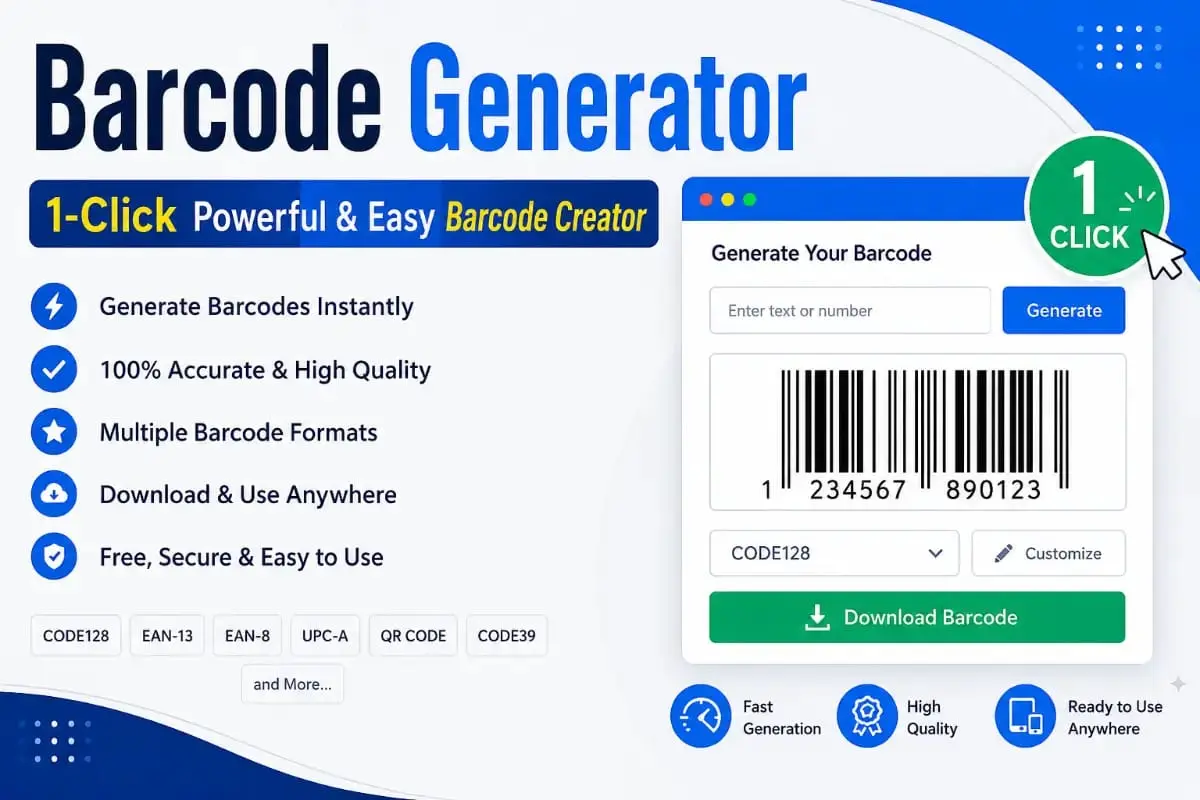
Barcode Generator: Easy and Powerful Barcode Creator
Why Identification Matters in Everyday Logistics
Modern supply chains move fast, and a scannable label is what lets a warehouse, a shop, or a shipping company connect a physical item to its digital record in an instant. A barcode generator is what creates that label in the first place, turning a product code you already have into a pattern a scanner can read reliably in a fraction of a second.
Running that generation step locally in your browser has a practical benefit too. There’s no subscription to manage, no external service that can go down at the wrong moment, and nothing stopping you from labeling products the moment you decide to organize your inventory.
Barcode Generator: Online and Free
This barcode generator is built for speed and privacy, and your data never leaves your device during the creation process.
Understanding the Symbology Behind This Barcode Generator
Not every barcode format is the same. This barcode generator uses Code 128, a high-density format that can encode all 128 standard ASCII characters, including numbers, upper and lowercase letters, and common symbols. That’s a real step up from the older UPC or EAN formats built strictly for retail checkout, and it’s why Code 128 is the preferred choice in industrial settings where a compact label still needs to hold a batch number, an expiry date, or a shipping weight.
Part of what makes a barcode reliable is the “quiet zone,” the plain white margin on either side of the bars. A scanner’s sensor uses that margin to calibrate its light levels before it even starts reading the data, so a quiet zone that’s too narrow can cause a scan to fail even though the bars themselves are printed correctly. This tool handles that spacing automatically, so every code it produces is technically correct without you needing to think about it.
Getting a Clean Barcode Generator Print Every Time
Even a technically perfect barcode can fail to scan if it’s printed poorly. Thermal transfer or direct thermal printers are the industry standard for a reason: they produce crisp bars that don’t bleed into the white space around them. If you’re printing on an ordinary inkjet or laser printer instead, make sure the ink or toner is fresh, since faded or streaky bars are one of the most common causes of a misread.
Print resolution matters too. Standard shipping labels are usually fine at 203 DPI, but small labels on electronics or jewelry benefit from 300 or 600 DPI. Always print the downloaded PNG at its original size. Resizing it in a word processor introduces anti-aliasing, soft gray pixels along the edges of the bars, which makes it harder for a scanner to measure each bar’s width accurately.
Barcode Generator Compliance With International Standards
Global trade depends on a shared format for how product data is structured. GS1 sets the framework most retailers and customs systems expect, and following it is what lets a scan at a distribution center actually match your listing without manual correction.
If you plan to sell through a major marketplace or a large retail chain, you may need an official GS1 prefix first; once you have your numbers, this tool creates the visual barcode from them. For background on how these standards developed, the history of the barcode on Wikipedia is a reasonable starting point, and checking your labels against ISO standards can help avoid a shipment being rejected at an international port over a formatting mismatch.
Barcode vs QR Code: Which Fits Your Task
A linear barcode, the kind this barcode generator produces, stores data in a single horizontal line read by a laser or camera sweeping across it. A QR code stores information in a two-dimensional grid instead and can hold far more, including full URLs.
For warehouse, retail, and asset-tracking work, the linear format is usually the better fit. It prints smaller, scans faster on the handheld scanners already in use at most facilities, and is supported by point-of-sale hardware that’s been in service for decades. QR codes make more sense when the goal is consumer engagement, like linking a shopper to a product page, but for plain identification, Code 128 remains the leaner choice.
How Different Industries Use a Barcode Generator
Retail stores rely on a barcode generator to label shelf items, process returns, and keep checkout lines moving. Manufacturing plants use the same approach to track raw materials through assembly, tagging pallets and components so a single scan reveals a part’s full production history.
Healthcare facilities use barcodes to reduce medication errors, matching a patient’s wristband to a prescription before any dose is given. Libraries track book loans the same way, and event organizers print codes onto tickets to catch duplicate entries. Across every one of these settings, the underlying benefit is the same: a fast, low-error way to connect a physical item to a digital record.
Common Barcode Generator Scanning Problems and Fixes
Even a correctly generated barcode can run into scanning trouble. The most common cause is weak contrast between the bars and the background, often from printing on colored or textured paper; switching to plain white stock usually fixes it right away.
Scaling the image incorrectly when placing it into a label template is another frequent issue, since it distorts the bar widths the scanner is trying to measure. If a code keeps failing to scan, try regenerating it with a slightly wider bar setting, and leave the quiet zone margins untouched, since cropping too close to the bars is an easy mistake to make and a common reason for failed reads.
Scanning With a Smartphone
Modern phone cameras handle the output of this barcode generator without any trouble. Most phones now scan barcodes directly inside the built-in camera app, and dedicated inventory apps add features like batch scanning, offline storage, and export straight to a spreadsheet.
For a small business not ready to invest in handheld scanners, a phone paired with a lightweight scanning app is often enough to manage a few hundred or even a few thousand SKUs. Upgrading to dedicated hardware becomes worthwhile as the catalog grows, but there’s no reason to wait on that purchase before starting to label products.
Customizing Barcode Generator Labels for Branding and Clarity
The scannable pattern itself has to follow strict technical rules, but the space around it is open for design. Adding a logo, product name, or short description next to the code helps warehouse staff recognize an item at a glance without needing to scan it first.
Keep any decorative text well clear of the quiet zone, and size the human-readable line under the bars so it’s still legible from arm’s length. A clean layout looks more professional and lowers the odds that a design element accidentally interferes with the scanner’s read path.
Why Local Data Processing Matters
Plenty of online tools quietly send whatever you type to a remote server, which is a real concern when that text includes internal SKUs or confidential shipment references. This barcode generator avoids that risk entirely by rendering every code directly inside your browser with JavaScript, so nothing you type is ever transmitted anywhere.
That local-first approach also means the tool keeps working even if your connection drops mid-session, since no network request is needed to produce the image. For a business operating under a strict data handling policy, that kind of client-side processing is a simple, meaningful safeguard.
Where Barcode Generator Technology Is Heading
Linear barcodes remain the backbone of everyday inventory work, but technologies like RFID tags and 2D matrix codes are expanding into cases where line-of-sight scanning is inconvenient. RFID, for example, lets an entire pallet be counted without unpacking a single box, since the signal passes through packaging material.
Even so, the low cost, simplicity, and universal compatibility of a printed barcode mean it isn’t going away from warehouses and retail counters any time soon. Many businesses now run both side by side, using barcodes for item-level tracking and RFID or QR codes for higher-level batch or marketing purposes.
Using a Barcode Generator for E-commerce
Anyone selling on Amazon, eBay, or Shopify eventually runs into the same requirement: fulfillment centers scan the code the moment a package arrives, and any mismatch between the printed label and the listing record can delay a shipment or trigger a rejected inbound. A barcode generator that produces clean, accurate output directly protects a seller’s account health and delivery timelines, which is exactly why so many sellers keep one bookmarked.
Managing stock across several channels at once is where this matters most. A single set of barcode labels gives every channel the same identifier for the same physical unit, so a warehouse worker never has to guess which platform an item belongs to. That kind of consistency is one of the simplest ways a small e-commerce operation ends up running like a much larger one.
Barcode Generator Best Practices Checklist
A barcode is only as useful as the habits behind it. Start with a consistent SKU naming convention so every product follows the same structure and length before it’s ever turned into a scannable image, and validate that data against your source records before printing so typos get caught while they’re still easy to fix.
Test new labels on the actual scanner used day to day rather than just checking them on a screen, and always print at full, unscaled resolution. Archiving the generated file alongside the product record means a lost or damaged label can be reprinted in seconds rather than regenerated from scratch. A little discipline here saves real time later.
Tracking Assets and Equipment
This kind of tool isn’t limited to products sold to customers; it’s just as useful for tracking what a company already owns. Tags applied to laptops, tools, and machinery let a facilities team run a full inventory audit in minutes instead of days, just by scanning each tagged item in sequence.
A single scan can also pull up an asset’s service history, warranty status, and assigned location, which makes maintenance scheduling far easier. For a growing company, adopting a free barcode generator for internal asset tracking is a low-cost way to cut equipment loss and stop wasting time searching for misplaced tools.
Integrating a Barcode Generator With WMS and ERP Software
A barcode generator becomes most useful once it’s feeding into a Warehouse Management System or an ERP suite. When a staff member scans a generated code, the scanner acts like a fast keyboard, entering the data directly into the software behind it. That enables real-time inventory tracking, automated reordering, and more precise labor management, and in larger operations a single scan can trigger workflows like updating stock across multiple warehouses or generating customs paperwork.
Because the output here is a high-resolution PNG, it’s also easy to read with a standard smartphone scanning app, which cuts down on the need for dedicated handheld hardware in smaller warehouses and lets staff use devices they already carry.
Barcode Generator Label Durability and the Physical Environment
The digital image is only half the story; the material it’s printed on determines how long a label survives. Standard paper loses its adhesive in cold storage, and anything exposed to moisture, chemicals, or direct sunlight needs a synthetic material like polyester or polypropylene to stay scannable for months or years.
Contrast matters just as much as material. A scanner reads the difference between light reflected from the white spaces and the black bars, and a dirty or scratched label loses that contrast fast. A protective laminate, or a resin ribbon in a thermal transfer printer, goes a long way toward keeping a label readable on equipment or assets that stay in service for years.
Why Small Businesses Benefit Most
Larger companies can absorb the cost of dedicated labeling software and enterprise licensing; a small or growing business often can’t justify that early on. A free, browser-based barcode generator removes that barrier entirely, letting a one-person shop start labeling products the same day they decide to get organized.
Labeling habits built this way carry over cleanly into more advanced systems later, since Code 128 is exactly what larger WMS and ERP platforms already expect. There’s no need to relabel an entire catalog just because the business scaled up; the foundation built with a simple free tool stays fully compatible.
How to Get a Scannable Result Every Time
A few simple habits keep every label produced by this barcode generator reliable:
2. Enter the alphanumeric string above, checking for accidental extra spaces.
3. Generate the code and visually confirm the preview is sharp and distinct.
4. Download the PNG and place it into your label template at its original size.
5. Test-scan with a handheld device before starting a full production run.
If you need to manage documents alongside your labels, the Merge PDF tool can combine multiple label sheets into one printable file, and the PDF to JPG converter can turn a design layout into an image ready for an industrial printer.
Frequently Asked Questions
Is this barcode generator secure for sensitive data?
Yes. It runs entirely in your browser using local JavaScript, so your data is never sent to a server or stored anywhere.
Can it handle letters and symbols, not just numbers?
Yes. Since this barcode generator uses the Code 128 standard, it can encode letters, numbers, and common keyboard symbols.
What’s the best way to print the generated codes?
Use a thermal printer at a high resolution where possible, and make sure the image isn’t stretched or distorted during printing.
Do I need special software to open the downloaded file?
No. It exports a standard PNG image that opens in any image viewer, design program, or word processor.
A Simple Foundation for Accurate Tracking
A consistent approach to product identification is one of the more straightforward ways to reduce errors as a business grows. A reliable barcode generator is a small but essential part of that, giving you accurate, scannable labels whenever you need them without a subscription or a server in between. Explore the rest of the PixaPDF Tools homepage for more free tools that fit into the same workflow.