
PDF Compressor Free Online Easy & Fast Tool
Click to Upload or Drag & Drop PDF
Select your PDF file to begin the optimization process
PDF Compressor 100% Free Online Fast & Secure Tool is the premier digital solution for anyone who needs to manage large document volumes without the weight of heavy file sizes. In our modern digital landscape, the Portable Document Format (PDF) has become the gold standard for sharing reports, invoices, and academic papers. However, high-resolution graphics and complex metadata often make these files too bulky for email attachments or web uploads. Our PDF Compressor 100% Free Online Fast & Secure Tool utilizes cutting-edge browser-based algorithms to trim the fat from your documents while maintaining crystalline clarity for both text and images.
The beauty of the PDF Compressor 100% Free Online Fast & Secure Tool lies in its efficiency. Instead of waiting for minutes to upload a file to a distant server, our tool processes the data locally in your browser. This architectural choice not only makes the PDF Compressor 100% Free Online Fast & Secure Tool incredibly fast but also ensures that your private documents never leave your computer. Security and speed are no longer a trade-off; with our utility, you get both in a single, streamlined interface designed for maximum productivity.
What is a PDF Compressor 100% Free Online Fast & Secure Tool?
A PDF Compressor 100% Free Online Fast & Secure Tool is a specialized utility that optimizes the internal structure of a PDF file to reduce its binary footprint. This is achieved through sophisticated techniques such as downsampling images, removing duplicate fonts, and stripping away redundant metadata tags. Unlike generic file archiving (like ZIP), the PDF Compressor 100% Free Online Fast & Secure Tool preserves the document’s accessibility, allowing it to be opened and read immediately by any PDF viewer without extraction.
Effective document management often requires multiple steps. For instance, after optimizing your file size, you might need to Merge PDF multiple reports into one or Split PDF a massive document into smaller, more manageable chapters. Using the PDF Compressor 100% Free Online Fast & Secure Tool alongside these utilities creates a professional workflow that handles even the most demanding document tasks with ease.
Why You Need This Tool in Your Daily Workflow
There are several compelling reasons to use the PDF Compressor 100% Free Online Fast & Secure Tool. First is the “Email Ceiling.” Most corporate and personal email providers have a strict limit on attachment sizes, usually around 20MB to 25MB. If your portfolio or presentation is 30MB, it simply won’t send. By applying the PDF Compressor 100% Free Online Fast & Secure Tool, you can shrink that file to 5MB or less in seconds, ensuring it reaches your recipient’s inbox without delay.
Secondly, storage optimization is a key part of digital hygiene. Bloated files consume expensive cloud storage space and slow down system backups. For professionals who deal with editing, the PDF Compressor 100% Free Online Fast & Secure Tool is the perfect first step before using tools like PDF to Word or Word to PDF. Smaller files load faster in editors, saving you time and frustration during every phase of document creation.
Key Features of the PDF Compressor 100% Free Online Fast & Secure Tool
- Local Processing Logic: Your files stay on your machine. This is a 100% secure approach to document optimization.
- Intelligent Quality Balancing: Our tool recognizes text and vectors, ensuring they remain sharp while only compressing the heavy bitmap elements.
- No Hidden Costs: This is a PDF Compressor 100% Free Online Fast & Secure Tool—no watermarks, no sign-ups, and no premium tiers.
- Batch Capability: Optimized to handle multiple document requests in a single session without slowing down your browser.
- Mobile Optimization: Whether you are on an iPhone or an Android tablet, the PDF Compressor 100% Free Online Fast & Secure Tool scales to fit your screen perfectly.
The Technical Evolution of Document Optimization
Understanding how the PDF Compressor 100% Free Online Fast & Secure Tool works requires a brief look at the PDF architecture. A PDF is essentially a collection of objects. Some of these objects are “Lossy” (like photos) and some are “Lossless” (like text). The PDF Compressor 100% Free Online Fast & Secure Tool analyzes these streams and reapplies compression filters like Flate or JBIG2 where appropriate. To learn more about these technicalities, you can visit the Adobe PDF Resource Center or check the official ISO PDF Technical Standards.
Furthermore, we adhere to global best practices for web performance. Large files slow down the “First Contentful Paint” of web browsers. By using the PDF Compressor 100% Free Online Fast & Secure Tool, you are following the same optimization logic recommended in the MDN Web Documentation for handling heavy media assets. High-authority organizations like the PDF Association also emphasize that clean, compressed files are more likely to survive long-term archiving without corruption.
How to Achieve the Best Results: Step-by-Step
Using the PDF Compressor 100% Free Online Fast & Secure Tool is designed to be a “Zero-Learning Curve” experience. Follow these four simple steps:
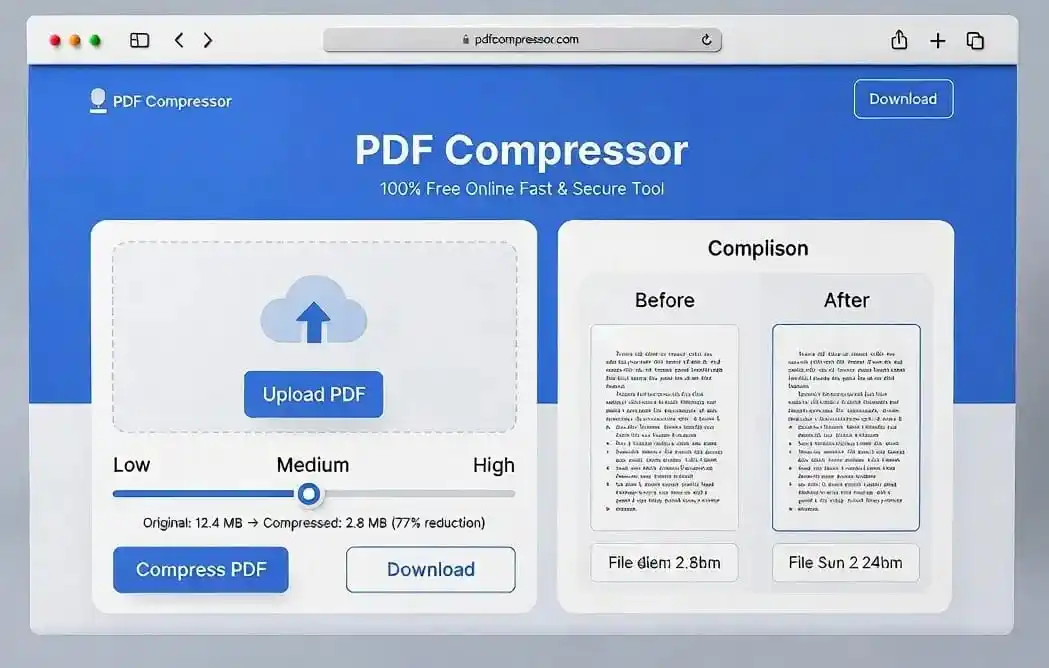
- Import your file: Drag your document into the dashed blue area above. The PDF Compressor 100% Free Online Fast & Secure Tool will verify the file type immediately.
- Set the slider: Use the slider to find your balance. “Medium” is the industry standard for business documents, offering significant savings with zero visible quality loss.
- Initiate: Click the “Compress PDF Now” button. You will see a progress bar as the PDF Compressor 100% Free Online Fast & Secure Tool reorganizes the internal objects.
- Grab your file: Compare the storage saved and click download. You can then use Add Page Numbers to organize your new, lighter document.
Use Cases: Who Needs a Compressed PDF?
Academic and Research Fields
Students often have to submit theses or projects to university portals that have a 10MB limit. Scanned textbooks can easily reach 100MB. The PDF Compressor 100% Free Online Fast & Secure Tool is a lifesaver for students, allowing them to meet submission deadlines without compromising on the quality of their charts or diagrams.
Legal and Financial Services
In the legal world, security is paramount. Since our PDF Compressor 100% Free Online Fast & Secure Tool works locally, it meets the highest standards for client confidentiality. Lawyers can shrink evidence bundles before submitting them to court portals. Similarly, accountants can optimize yearly audits for faster sharing with stakeholders. If a document has unwanted marks, they can use Remove Watermark after compression to clean up the final draft.
Deep Dive: Privacy and Security in Document Tools
In an era of frequent data breaches, the PDF Compressor 100% Free Online Fast & Secure Tool stands out by not being a cloud-upload service. Most “free” tools on the internet monetize your data or store your sensitive files on insecure servers. Our PDF Compressor 100% Free Online Fast & Secure Tool is built with client-side encryption logic. This means the heavy lifting happens in your RAM, and the temporary data is wiped as soon as you close the tab. This makes it the most secure PDF Compressor 100% Free Online Fast & Secure Tool available to the public today.
The Digital Infrastructure Challenge: Overcoming the Burden of Heavy Files
In the modern era of high-speed fiber optics, we often overlook the technical debt created by unoptimized digital assets. Every megabyte transferred across a network consumes bandwidth, energy, and time. While a single large document might seem insignificant, the cumulative effect of millions of bloated files being shared globally creates a massive strain on our digital infrastructure. Shrinking these files is not just a matter of convenience; it is a necessary step in maintaining an agile and efficient internet ecosystem.
When files are optimized, the entire chain of communication benefits. Servers respond faster, backup routines finish in a fraction of the time, and the “latency” that often frustrates users during peak hours is significantly reduced. By adopting a proactive approach to document management, businesses can ensure that their internal communication channels remain clear and that their outward-facing portals provide a snappier, more professional experience for their clients.
The Mobile-First Ecosystem and Document Accessibility
The majority of internet traffic now originates from mobile devices. Smartphones, while powerful, often operate on limited cellular data plans and have less RAM than traditional desktop computers. Opening a 50MB PDF on a mid-range smartphone can lead to app crashes, slow scrolling, and excessive battery drain. For developers and content creators, providing lightweight documents is a sign of respect for the user’s hardware and data limits.
In developing regions where 3G or 4G connections are still the primary means of access, file optimization becomes a social necessity. A student trying to download a research paper or a remote worker trying to access a project brief should not have to wait for minutes or worry about their data cap. Making files smaller ensures that information remains accessible to everyone, regardless of their geographical location or the quality of their internet connection.
The Economics of Cloud Storage and Data Management
We are living in an age of subscription services. Most cloud storage providers offer a limited free tier, after which users must pay a monthly fee to keep their files. Bloated documents are a major contributor to “storage creep,” where users find themselves forced into higher payment tiers because they have not optimized their archives. For a small business managing thousands of contracts and reports, the cost of storing uncompressed files can add up to hundreds of dollars per year.
By integrating optimization into your digital hygiene routine, you can extend the life of your free storage tiers and delay the need for expensive upgrades. Furthermore, smaller archives are easier to organize and search. Indexing engines can crawl through optimized files more efficiently, making the retrieval of information faster and more reliable. Efficiency in storage is, ultimately, efficiency in the pocketbook.
Collaborative Synergy: Working Smarter in Teams
Modern work is collaborative. Tools like Slack, Microsoft Teams, and Discord have become the new office spaces. However, these platforms often have file size limits for direct uploads. When a team member attempts to share an unoptimized presentation and hits the limit, it breaks the flow of work. The team must then resort to third-party sharing links, adding unnecessary steps to a simple task.
Optimized documents foster a culture of seamless collaboration. They allow for instant sharing, faster version control, and less friction during group edits. When everyone on a team understands the importance of keeping digital assets lean, projects move from conception to completion with far fewer technical roadblocks. It is about creating a “frictionless” environment where the focus remains on the ideas, not the file formats.
Green Computing: The Environmental Impact of File Transfer
It might come as a surprise to many, but our digital habits have a tangible carbon footprint. Data centers, which house the servers that store and transfer our files, consume vast amounts of electricity. Transferring large files requires more power from routers, switches, and the underlying network hardware. By reducing the size of the data we send across the globe, we are participating in “Green Computing.”
While one compressed PDF might only save a few milliwatts of energy, the global impact of optimization is significant. If every professional committed to shrinking their outgoing documents, we could collectively reduce the energy consumption of global data centers by a measurable margin. It is a small, individual action that contributes to a more sustainable and eco-friendly future for the tech industry.
Long-Term Archiving and Document Integrity
Archiving is about preservation. We save documents today so they can be read decades from now. However, very large files are more susceptible to minor data corruption during long-term storage or multiple transfers. Smaller, cleanly structured files that adhere to modern standards are often more resilient. They are easier to verify with “checksums” and faster to replicate across different backup locations.
Using optimization ensures that your legacy documents do not become a burden for future systems. As technology evolves, we want our archives to be “light” enough to be migrated to new platforms without hours of downtime. By trimming the unnecessary metadata and optimizing the internal streams now, you are future-proofing your intellectual assets for the next generation of digital readers and storage solutions.
Real-World Scenarios Where Compression Changes Everything
Think about the last time you tried to send a finished project to a client and the file bounced back because the email server rejected it. Or the moment you realized your cloud drive was running out of space two weeks before an important submission deadline. These are not edge cases — they happen to working professionals every single week. The PDF Compressor 100% Free Online Fast & Secure Tool was built precisely for those moments, because waiting around for a slow upload or scrambling for a paid subscription service is simply not acceptable when you have real work to deliver.
Photographers who export contact sheets, architects who share detailed blueprints, teachers who distribute illustrated course packs — all of them regularly produce PDFs that run into the dozens of megabytes. The typical email client caps attachments at 25MB. The typical school portal caps uploads at 10MB. The gap between what gets created and what can be shared is where this tool quietly earns its place in a daily routine. One click, thirty seconds of local processing, and the file is ready to go wherever it needs to go.
Healthcare and Medical Documentation
One area where document management often goes unnoticed is healthcare. Medical imaging reports, discharge summaries, and lab result compilations are routinely converted to PDF format for patient records and inter-department communication. These files frequently contain embedded scans and high-resolution imaging that push their sizes well beyond what a standard hospital portal or secure email system will accept.
Reducing the size of these documents — without touching the text, the diagnoses, or the critical numerical data — means faster transfers between departments, quicker access for on-call physicians, and smoother handoffs during patient transitions. Because the PDF Compressor 100% Free Online Fast & Secure Tool never sends the file to an external server, it also fits naturally into environments where patient privacy is a legal obligation, not just a preference.
Small Business Owners and Freelancers
Running a small business means wearing a lot of hats. You are the accountant, the marketing team, and the customer service department all at once. The last thing a freelance designer or a solo consultant needs is to spend twenty minutes troubleshooting why a proposal will not upload to a client’s vendor portal. Compressed files eliminate that headache entirely.
For freelancers specifically, first impressions matter enormously. Sending a lightweight, crisp PDF portfolio says something about your professionalism and attention to detail. It tells the recipient that you think about their experience, not just your own output. That kind of small, thoughtful gesture can tip a close hiring decision in your favor.
How to Choose the Right Compression Level for Your Document
The compression slider in this tool offers three distinct levels, and understanding what each one does will help you make a smarter choice every single time you use it.
The Low compression level is the right choice when the PDF contains fine-print legal text, high-detail technical diagrams, or medical imaging where the visual precision genuinely matters. At this setting, the tool brings file size down by roughly fifteen to thirty percent. That might not sound dramatic, but for a 20MB document it can mean the difference between sending it as an email attachment or needing to use a file-sharing link.
The Medium level is where most users will land for most documents. It handles business presentations, academic papers, photographed invoices, and general reports beautifully. The reduction is typically between forty and sixty percent, and the output file looks essentially identical to the original on screen and in print. If you are compressing a document to share with colleagues or submit to a portal and you are not certain which level to pick, always start here.
The High compression level is best reserved for documents where storage space is the priority and the file will be viewed primarily on screen rather than printed. Draft documents, archived copies that are unlikely to be shared externally, and large scanned batches where storage cost is a concern are all good candidates. At this level, images are rendered at a lower resolution and the file can shrink by sixty to eighty percent or more, making it far more practical for long-term digital archiving.
What to Do After Compressing Your PDF
Compression is often just one step in a broader document workflow. Once your file is lighter, there are several natural next steps depending on what you need to do with it. If you have been working on different sections of a large report and compressed each one separately, our Merge PDF tool lets you stitch them back into a single cohesive file without any quality loss. If the document runs too long for the recipient to navigate easily, the Split PDF tool lets you extract individual chapters or page ranges into their own files.
Security is another common concern after compression. A compressed contract or financial report often needs to be locked down before it leaves your hands. The Protect PDF tool lets you set an open password so only authorized recipients can view the content. If you need to add your company watermark or stamp the document as confidential, the Add Watermark tool is ready immediately after your download. For documents that need to be presented cleanly and professionally before distribution, the Add Page Numbers tool helps recipients navigate multi-page files with ease.
The point is that file compression rarely exists in isolation. It is one tool in a broader toolkit, and knowing how each piece of that toolkit connects to the others is what separates someone who manages documents reactively from someone who manages them with genuine confidence and control.
Frequently Asked Questions
Will my compressed PDF look blurry?
Not if you use the correct settings. The PDF Compressor 100% Free Online Fast & Secure Tool uses smart downsampling. Text remains sharp because it is vector-based. Only the extremely high-resolution images are scaled down to 150-72 DPI, which is still perfect for screen viewing.
Is there a daily limit on the PDF Compressor 100% Free Online Fast & Secure Tool?
No. We believe in providing a truly free utility. You can compress 5, 50, or 500 documents a day. Our PDF Compressor 100% Free Online Fast & Secure Tool is a community-driven resource.
Does this tool work on Mac and Linux?
Yes. The PDF Compressor 100% Free Online Fast & Secure Tool is platform-agnostic. As long as you have a modern browser like Chrome, Safari, or Firefox, it will work perfectly on any operating system.
Can I compress a password-protected PDF?
For security reasons, you should unlock your PDF before using the PDF Compressor 100% Free Online Fast & Secure Tool. This ensures our optimization engine can access the internal streams correctly.
Conclusion
Managing digital documents shouldn’t be a source of stress. The PDF Compressor 100% Free Online Fast & Secure Tool by PixapDFTools empowers you to take control of your storage and communication. By combining professional-grade technology with a user-friendly SaaS design, we have created the ultimate document companion. Whether you are submitting a job application, sharing a medical report, or archiving a business contract, trust the PDF Compressor 100% Free Online Fast & Secure Tool to deliver perfect results every time. Explore our full suite of tools to revolutionize your digital workflow today!
For further reading on how to optimize your digital assets, we recommend exploring the PDF Merger and PDF Splitter guides to maintain an organized and efficient digital filing cabinet.