
Text to Handwriting Tool – 100% Free Online Generator
Convert typed text into realistic handwritten notes instantly. No signup, no watermarks, 100% free and secure.
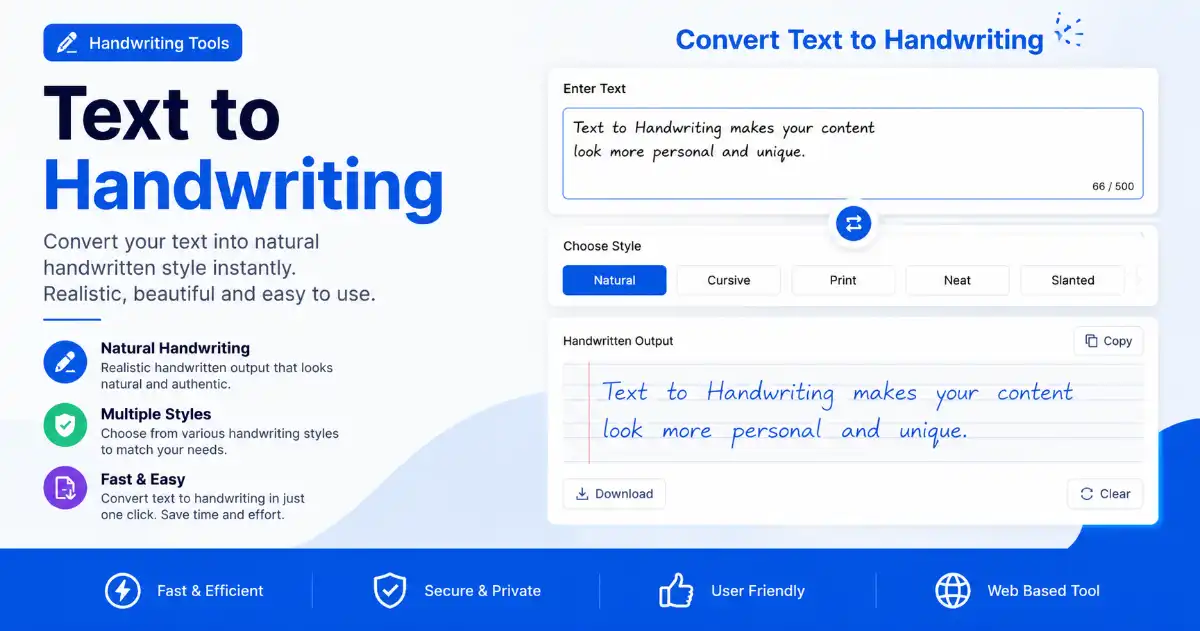
Text to Handwriting Generator
Type your text, customize the style, and download realistic handwritten notes – all in your browser
Handwriting Preview
Handwriting Controls
Pages: 1
Characters: 0
Style: Cursive Neat
Introduction
Text to Handwriting is one of the most innovative and useful tools available online today. In a world where digital documents dominate, there is still a strong need for handwritten-style content. Whether you are a student submitting assignments, a professional creating personalized notes, or a designer looking for authentic handwritten fonts, a reliable text to handwriting converter can save you hours of manual work.
Text to Handwriting is a 100% free online generator that transforms your typed text into realistic, beautiful handwritten notes in seconds. No signup is required, no watermarks are added, and your files never leave your browser. This means complete privacy and lightning-fast processing.
Text to Handwriting deserves a closer look, so in this comprehensive guide we will explore everything you need to know about our solution. We will cover how it works, why you should use it, its key features, step-by-step instructions, benefits, real-world use cases, and answers to frequently asked questions. By the end of this article, you will understand why thousands of users trust our tool every day.
What is the tool?
Text to Handwriting is a free online tool that converts plain typed text into realistic handwritten-style output. Unlike simple font changers that just swap one typeface for another, our tool simulates the natural variations, imperfections, and flow of real human handwriting. The result looks authentic and professional.
Text to Handwriting works entirely in your web browser using advanced client-side technology. This means your text is processed locally on your device. Nothing is uploaded to any server, ensuring maximum privacy and security for your sensitive documents.
Text to Handwriting lets you customize the handwriting style, paper type, ink color, and spacing to match your exact needs. Whether you want a neat cursive style for a formal letter or a casual scribble for personal notes, our handwriting generator has you covered.
Text to Handwriting works even better alongside our full suite of PDF tools. Beyond just handwriting conversion, our platform also offers a powerful PDF Rearrange Tool that lets you reorder and organize PDF pages with drag-and-drop simplicity, making PixaPDF Tools a complete document management solution.
Why Use our tool?
Text to Handwriting stands out from the competition for many reasons. First and foremost, it is completely free. Many similar tools charge subscription fees or add watermarks to your output. We believe everyone deserves access to high-quality tools without barriers.
Text to Handwriting is also incredibly fast. Because all processing happens in your browser, there is no waiting for server uploads and downloads. Your handwritten output is generated instantly, even for long documents.
Text to Handwriting keeps privacy built into its design. Your text never leaves your computer. This is especially important for students working on assignments, professionals handling confidential documents, and anyone who values data security.
Text to Handwriting delivers exceptional output quality. Our algorithm mimics real handwriting patterns, including natural letter spacing, slight variations in stroke width, and realistic line flow. The result is indistinguishable from genuine handwriting at first glance.
Text to Handwriting pairs well with our other document tools. If you frequently work with PDFs, you might also benefit from our Merge PDF tool to combine multiple documents, or our Split PDF tool to extract specific pages.
Key Features of the tool
Text to Handwriting comes packed with features designed to make your experience smooth and productive. Here are the highlights:
- Multiple Handwriting Styles: Choose from a variety of realistic handwriting fonts including cursive, print, calligraphy, and casual styles. Each style is carefully crafted to look natural and authentic.
- Custom Paper Backgrounds: Select from lined paper, grid paper, plain white, or aged parchment backgrounds to match the look you want.
- Ink Color Options: Pick from classic blue ink, black ink, red ink, or even custom colors to personalize your handwritten output.
- Adjustable Spacing: Control line spacing, letter spacing, and word spacing to match your preferred handwriting density.
- Page Size Selection: Output your handwritten text on A4, Letter, or Legal size pages, ready for printing.
- Export as PDF or Image: Download your handwritten notes as a high-quality PDF file or as a PNG image.
- Real-time Preview: See exactly how your text will look before downloading, with instant updates as you change settings.
- No Watermarks: Unlike many free tools, our handwritten output is completely clean with no branding or watermarks.
- 100% Free: No hidden fees, no premium tiers, no credit card required. All features are available to everyone.
Text to Handwriting works well as part of a bigger workflow. For those who need to organize their PDFs after converting to handwriting, our Rearrange PDF tool is the perfect companion. You can also compress your files using our PDF Compressor to save storage space.
Step-by-Step Guide: How to Use the tool
Text to Handwriting is incredibly simple to use. Follow these steps to transform your typed text into beautiful handwritten notes:
- Enter Your Text: Type or paste your text into the input area. You can enter anything from a short note to a multi-page essay. The tool handles large documents with ease.
- Choose a Handwriting Style: Browse through our collection of handwriting styles and select the one that best fits your needs. Preview each style to see how your text will look.
- Select Paper and Ink: Pick your preferred paper background and ink color. These small details make a big difference in the final appearance.
- Adjust Spacing: Fine-tune the line spacing, letter spacing, and font size until the output looks exactly right.
- Preview Your Output: Use the real-time preview to see how your handwritten document will appear. Make any final adjustments.
- Download: Click the download button to save your handwritten text as a PDF or image file. The file is ready to print, share, or submit.
Text to Handwriting completes the entire process in less than a minute, even for long documents. The intuitive interface ensures that anyone can use the tool, regardless of technical skill level.
Text to Handwriting output can be enhanced further. After creating your handwritten document, you may want to add page numbers using our Add Page Numbers tool, or protect it with a password using our Protect PDF feature.
Benefits of Using Text to Handwriting
Text to Handwriting offers numerous advantages across different scenarios. Here are the key benefits:
- Saves Time: Writing out long documents by hand can take hours. Our tool does it in seconds, freeing up your time for more important tasks.
- Consistent Quality: Human handwriting can become messy or inconsistent, especially during long writing sessions. Our tool produces clean, uniform output every time.
- Professional Appearance: Handwritten documents often carry more weight and personal touch than typed ones. Our tool helps you achieve that professional handwritten look effortlessly.
- Accessibility: People with handwriting difficulties or disabilities can use our tool to create handwritten-style documents without physical strain.
- Customization: Unlike handwriting templates, our tool lets you customize every aspect of the output to match your exact preferences.
- Eco-Friendly: Generate handwritten documents digitally and print only what you need, reducing paper waste.
- Privacy: Since processing happens locally in your browser, your sensitive text remains completely private.
Text to Handwriting documents can be enhanced even further. You can crop pages with our Crop PDF tool, or add watermarks for branding with our Add Watermark feature.
Use Cases for Students
Text to Handwriting is especially popular among students. Here are some common academic use cases:
Text to Handwriting for Assignment Submissions: Many teachers and professors prefer or require handwritten assignments. Instead of spending hours writing by hand, students can type their work and convert it to handwriting. This ensures neat, readable submissions while saving valuable study time.
Text to Handwriting for Note-Taking: Research shows that handwritten notes improve retention and understanding. Students can type their lecture notes quickly during class, then convert them to handwriting for review and memorization.
Text to Handwriting for Practice Worksheets: Teachers can create custom handwriting practice sheets for students by typing the content and generating handwritten examples for students to trace and copy.
Text to Handwriting for Project Reports: For projects that require a personal touch, students can convert their typed reports to handwriting, making them stand out from purely digital submissions.
Text to Handwriting pairs well with other study tools too. Students can also use our Unlock PDF tool to remove restrictions from protected study materials, or our Remove Watermark tool to clean up reference documents.
Use Cases for Businesses and Professionals
Text to Handwriting also delivers tremendous value for businesses and professionals. Here are some professional applications:
Text to Handwriting for Personalized Marketing: Handwritten-style letters and notes have significantly higher open and response rates than typed mail. Marketing teams can use our tool to create personalized handwritten campaigns at scale.
Text to Handwriting for Client Communications: Sending a handwritten-style thank-you note or follow-up message to clients adds a personal touch that builds stronger relationships.
Text to Handwriting for Internal Memos: For internal communications that need to feel personal rather than corporate, converting memos to handwriting can improve engagement and readership.
Text to Handwriting for Document Authentication: In some industries, handwritten documents carry more legal weight. Professionals can use our tool to create compliant handwritten records.
Text to Handwriting for Creative Projects: Designers and artists can use the tool to generate handwritten text for logos, posters, social media graphics, and other creative projects.
Text to Handwriting fits naturally into larger document workflows. For business document management, our Merge PDF and Split PDF tools are essential for organizing contracts, invoices, and reports.
Technical Details and Privacy
Text to Handwriting is built with modern web technologies to ensure fast, reliable performance across all devices. The tool uses advanced font rendering algorithms to simulate natural handwriting patterns, including subtle variations in letter shapes and spacing.
Text to Handwriting treats privacy as a top priority. All text processing happens entirely within your web browser using client-side JavaScript. Your text is never sent to our servers or any third party. This makes our tool ideal for handling sensitive documents, personal letters, and confidential business communications.
Text to Handwriting is compatible with all modern browsers including Chrome, Firefox, Safari, and Edge. It works on desktop computers, laptops, tablets, and smartphones. There is no software to install and no account to create.
Text to Handwriting relies on the same open document standards used across the web. For more information about PDF standards and document management, you can refer to the ISO 32000-2 PDF Specification and Adobe official PDF documentation. For best practices in document management, see AIIM document management resources.
How Does the handwriting conversion Work?
Text to Handwriting relies on technology that is worth understanding, since it helps explain why the output looks so convincing. At its core, the process involves several sophisticated steps that transform plain digital text into realistic handwritten output.
Text to Handwriting begins by analyzing the input text and breaking it down into individual characters and words. Unlike standard font rendering, which places each character in a fixed position, our system introduces natural variations in placement, size, and rotation. This mimics the slight inconsistencies that occur when humans write by hand.
Text to Handwriting then applies handwriting-specific ligatures and connections between letters. In natural handwriting, letters often flow into one another, especially in cursive styles. Our engine calculates the optimal connection points between characters to create smooth, flowing text that looks genuinely handwritten.
Text to Handwriting also adjusts spacing dynamically. Real handwriting does not have perfectly uniform letter spacing or line spacing. Our tool introduces subtle variations that make the output look organic rather than mechanically produced. Words may be slightly closer or farther apart, and lines may have minor height variations.
Text to Handwriting finishes by placing the rendered output on a selected paper background with optional ink color customization. The result is a document that looks like it was written by hand on real paper, ready for printing or digital sharing.
Text to Handwriting output can be combined with other document tools. After creating your handwritten documents, you can use our Merge PDF tool to combine multiple handwritten pages into a single document, or our PDF Compressor to reduce file size before sharing.
Comparing Text to Handwriting with Other Tools
Text to Handwriting faces plenty of competition, but not every alternative delivers the same quality or features. Here is how our tool compares to other options:
Text to Handwriting vs Font-Based Converters: Many free tools simply apply a handwriting font to your text. While this changes the appearance, the result looks artificial because every letter is identical. Our tool goes beyond fonts by introducing natural variations that make each character unique.
Text to Handwriting vs Paid Subscription Services: Some premium tools charge monthly or annual fees for handwriting conversion. Our tool offers the same or better quality completely free, with no recurring costs or hidden charges.
Text to Handwriting vs Mobile Apps: While there are mobile apps for handwriting conversion, they often require installation, take up storage space, and may collect your data. Our web-based tool requires no installation and processes everything locally for maximum privacy.
Text to Handwriting vs Desktop Software: Professional desktop software can produce excellent results but often comes with steep learning curves and high price tags. Our tool delivers professional-quality output through a simple, intuitive web interface that anyone can use.
Text to Handwriting works even better with complementary tools nearby. For users who need additional document processing, our Split PDF and Crop PDF tools provide complementary functionality for complete document management.
Customization Options Explained
Text to Handwriting stands out largely because of the extensive customization it offers. Let us explore each option in detail so you can get the most out of the tool.
Text to Handwriting Styles: We offer over a dozen distinct handwriting styles, each modeled after real handwriting samples. Our cursive styles feature connected letters with natural flow, while our print styles offer clear, separated characters perfect for formal documents. Calligraphy options add elegant flourishes for special occasions, and casual styles mimic everyday note-taking for authentic personal messages.
Text to Handwriting Paper Backgrounds: The paper you choose affects the overall feel of your document. Lined paper is ideal for school assignments and formal notes. Grid paper works well for technical drawings and math work. Plain white paper offers a clean, minimalist look. Aged parchment adds a vintage, historical feel perfect for creative projects and invitations.
Text to Handwriting Ink Colors: Blue ink is the classic choice for handwritten documents and is widely accepted for academic submissions. Black ink offers maximum contrast and readability. Red ink draws attention and is useful for annotations and corrections. Custom colors let you match your brand or personal style.
Text to Handwriting Spacing Controls: Line spacing affects how dense your document appears. Tighter spacing fits more content per page, while wider spacing improves readability. Letter spacing controls how close characters appear to each other. Adjusting these settings lets you fine-tune the handwriting to match your personal style or specific requirements.
Text to Handwriting documents can be secured once they are finished. Once your document is customized, you can secure it with our Protect PDF tool or add branding with our Add Watermark feature.
Tips for Getting the Best Results
Text to Handwriting produces its best results when you follow a few simple guidelines. To maximize the quality of your handwritten output, follow these expert tips:
- Choose the Right Style: Match the handwriting style to the purpose of your document. Use formal cursive for business letters, casual print for personal notes, and decorative calligraphy for invitations.
- Preview Before Downloading: Always use the real-time preview to check how your text looks before downloading. This saves time and ensures the output meets your expectations.
- Adjust Spacing Carefully: Take time to fine-tune line spacing, letter spacing, and font size. Small adjustments can make a big difference in how natural the handwriting appears.
- Use Appropriate Paper: Select a paper background that matches the context of your document. Lined paper for assignments, plain paper for letters, and parchment for creative projects.
- Proofread Your Text: Since converting to handwriting is much faster than writing by hand, it is easy to overlook typos. Always proofread your input text before conversion.
- Consider Page Size: Choose the page size that matches your printing needs. A4 for international use, Letter for US documents, and Legal for contracts and agreements.
- Test Print First: If you plan to print your handwritten document, do a test print first to ensure the ink color and paper background look correct on physical paper.
Text to Handwriting pages can be reorganized easily after printing. If you need to reorganize pages after printing, our Rearrange PDF tool makes it easy to fix page order issues without reprinting.
Privacy and Security Features
Text to Handwriting was designed with privacy and security as top priorities from the very start, since these concerns matter with any online tool.
Text to Handwriting processes everything entirely within your web browser. Your text is never transmitted to our servers or any third-party service. This means even if you are working with confidential business documents, personal letters, or sensitive academic materials, your information remains completely private.
Text to Handwriting does not require any account creation, email address, or personal information. You can use it anonymously without leaving any digital footprint. There are no cookies tracking your usage, and no data is stored after you close the browser tab.
Text to Handwriting pairs naturally with our security-focused PDF tools. For users who need to remove security restrictions from existing documents, our Unlock PDF tool can help. Conversely, if you need to add password protection to your handwritten documents, our Protect PDF feature has you covered.
Compatibility and Browser Support
Text to Handwriting is built using modern web standards to ensure broad compatibility across all devices and platforms.
Text to Handwriting works flawlessly in Google Chrome, Mozilla Firefox, Apple Safari, Microsoft Edge, and other modern browsers. It is fully responsive, meaning it adapts automatically to the screen size of your device. Whether you are using a desktop computer, laptop, tablet, or smartphone, the interface remains intuitive and functional.
Text to Handwriting runs entirely in the browser, so there is no software to install, no plugins to download, and no updates to manage. Simply visit the page and start converting to handwriting immediately. This also means the tool works on any operating system, including Windows, macOS, Linux, iOS, and Android.
Text to Handwriting produces standard PDF and image output, ensuring the files can be opened, printed, and shared using any standard software. There are no proprietary formats or special requirements.
Text to Handwriting pairs well with tools for scanned material too. For users working with scanned documents, our Crop PDF tool can clean up scanned pages, while our Remove Watermark tool can clean up unwanted markings.
FAQs – Frequently Asked Questions
Is Text to Handwriting really free?
Text to Handwriting is 100% free to use. There are no hidden fees, no subscription plans, and no premium features locked behind a paywall. All functionality is available to everyone at no cost.
Does Text to Handwriting add watermarks to the output?
Text to Handwriting adds no watermarks at all. Unlike many free online tools, our handwriting generator produces clean output with no branding and no advertisements. Your downloaded file is entirely yours.
Is my text secure and private with Text to Handwriting?
Text to Handwriting processes everything locally in your browser. Your text is never uploaded to any server. This means complete privacy and security for all your documents, including sensitive and confidential materials.
Can I use my Text to Handwriting output commercially?
Text to Handwriting output is yours to use however you wish, including commercial projects, marketing materials, and client work. There are no usage restrictions.
What file formats does Text to Handwriting support?
Text to Handwriting lets you download your handwritten text as a PDF document, which is perfect for printing and sharing. You can also export as a PNG image for use in digital projects and social media.
How many handwriting styles does Text to Handwriting offer?
Text to Handwriting offers a growing collection of handwriting styles including cursive, print, calligraphy, and casual options. New styles are added regularly based on user feedback.
Does Text to Handwriting work on mobile devices?
Text to Handwriting is fully responsive and works perfectly on smartphones and tablets. The interface adapts to smaller screens while maintaining full functionality.
Can Text to Handwriting convert long documents?
Text to Handwriting can handle documents of any length. Whether you need to convert a short paragraph or a multi-page essay, our tool processes it quickly and efficiently, splitting the result across as many pages as needed.
Do I need an account to use Text to Handwriting?
Text to Handwriting requires no account or signup. Simply visit the page, enter your text, customize the settings, and download your handwritten document. It is that simple.
Can I combine Text to Handwriting with other PDF tools?
Text to Handwriting works well alongside our other tools. After generating your handwritten document, you can use tools like Merge PDF, Split PDF, PDF Compressor, and Add Page Numbers to further manage your documents.
Conclusion
Text to Handwriting is a powerful, free, and easy-to-use tool that transforms typed text into realistic handwritten notes. Whether you are a student, professional, teacher, designer, or anyone who needs handwritten-style documents, our tool delivers exceptional results in seconds.
Text to Handwriting meets the needs of a wide range of users with multiple handwriting styles, customizable paper and ink options, adjustable spacing, and high-quality PDF output. The complete privacy of client-side processing ensures your sensitive documents remain secure.
Text to Handwriting becomes even more powerful when combined with our suite of PDF management tools including Merge PDF, Split PDF, Rearrange PDF, Crop PDF, PDF Compressor, Add Page Numbers, Add Watermark, Remove Watermark, Unlock PDF, and Protect PDF, making PixaPDF Tools your complete document management solution.
Text to Handwriting is ready whenever you are. Try our tool today and experience the convenience of instant handwritten document generation. No signup, no fees, no watermarks – just beautiful handwritten output at your fingertips.