
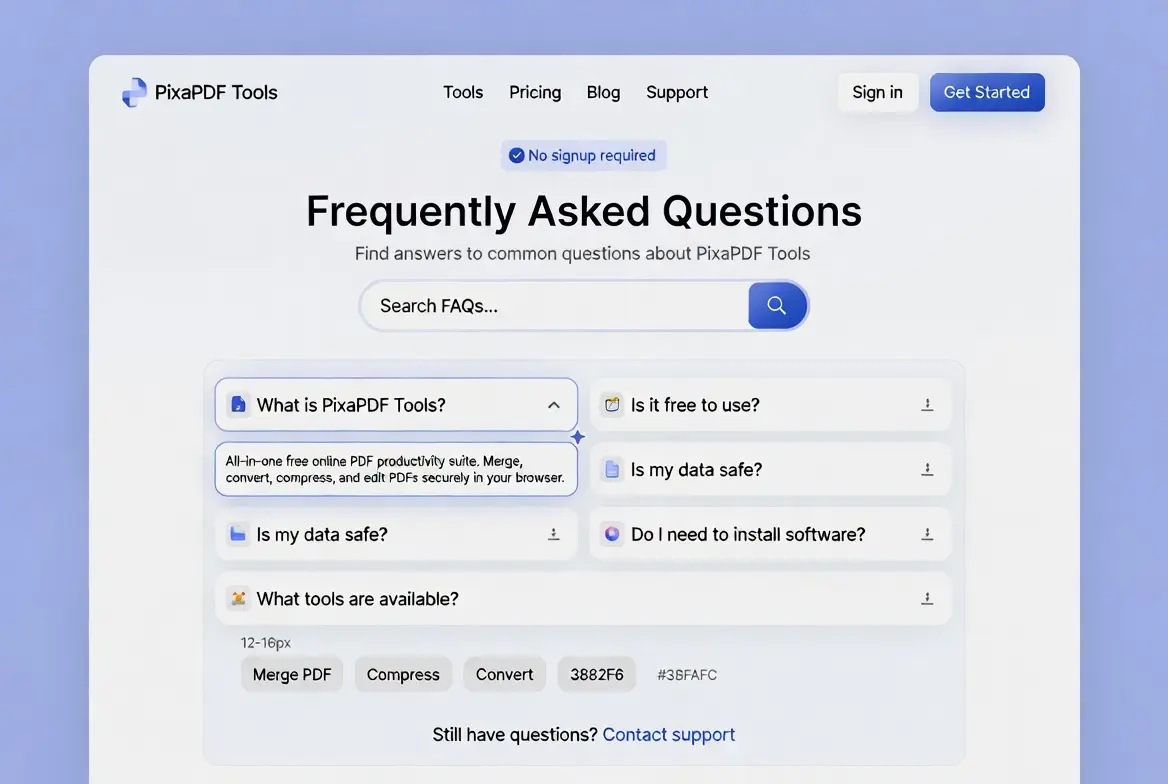
FAQs PixaPDF Tools – 100٪ Free Online Tools Complete Guide
FAQs PixaPDF Tools – 100% Free Online Tools Complete Guide

FAQs: The digital landscape is evolving rapidly, and the demand for accessible, high-quality file management solutions has never been higher. PixaPDF Tools is a comprehensive, 100% free online platform designed to bridge the gap between complex software and everyday users. Our mission is to provide professional-grade PDF editing, image processing, and utility tools directly in your browser, removing the traditional barriers of high costs and complex installations.
FAQs users often ask whether our platform requires any downloads. Whether you are a student preparing an assignment, a freelancer managing multiple clients, or a developer looking for quick CSS generators, PixaPDF Tools offers a seamless experience. We prioritize speed, security, and simplicity, ensuring that every task—from merging large PDF files to generating professional business invoices—is completed in just a few clicks.
📌 FAQs What is PixaPDF Tools?
FAQs about our platform reveal that PixaPDF Tools is an all-in-one web-based ecosystem that integrates hundreds of digital utilities into a single, user-friendly interface. Historically, users had to switch between multiple websites to convert an image, edit a PDF, or calculate a loan. PixaPDF Tools changes this by offering a unified hub for all your digital needs.
Our technology leverages advanced cloud and local browser processing, which means your files are handled with extreme efficiency. The platform is built using modern web standards, ensuring that it works flawlessly on any device, regardless of the operating system. It is a one-stop-shop for productivity, creativity, and technical problem-solving.
💰 FAQs Is PixaPDF Tools Free to Use?
FAQs about pricing are among the most frequent questions we receive. We are proud to state that PixaPDF Tools is, and will always be, 100% free. Unlike other platforms that lure users with “free” trials only to lock features behind a paywall, every single tool on our site is accessible without a credit card or a subscription.
We believe that essential productivity tools should be a basic right for every internet user. Whether you are using our high-end PDF security features or our fun digital tools, you will never encounter hidden charges. This commitment allows us to support a global community of users who need reliable tools without the burden of monthly fees.
🛠️ Detailed Analysis of Tool Categories
To provide a comprehensive deep dive, we must look into the specific mechanics of each category offered by PixaPDF Tools. Our platform is divided into several specialized modules, each tailored for a specific type of task.
1. FAQs Advanced PDF Management Suite
FAQs about PDF editing capabilities are common because PDFs are the standard for professional documentation, but they are notoriously difficult to edit. Our PDF Management Suite empowers you to take full control. You can Merge PDF files into a single document for better organization or Split PDF files to extract only the pages you need. Our compression engine is world-class, allowing you to reduce file sizes for email optimization without losing text clarity.
- PDF to Image: Extract high-quality JPEGs or PNGs from any PDF page.
- Protect & Unlock: Add 256-bit encryption to your sensitive files or remove passwords from files you own.
- Rotate & Organize: Fix the orientation of scanned documents and reorder pages with a simple drag-and-drop interface.
2. FAQs Image Processing & SEO Optimization
For bloggers, social media managers, and web developers, images are vital. PixaPDF Tools provides an Image Optimization Hub that helps you resize photos for specific platform requirements. More importantly, our conversion tools (like PNG to WEBP) help in SEO by making website assets lighter, which directly improves Google search rankings.
🔧 FAQs PixaPDF Tools Available Features
Beyond the basics, our platform includes specialized categories that cater to niche requirements. We have categorized these to ensure you can find exactly what you need in seconds:
- Text Tools: Case converters, word counters, and lorem ipsum generators for writers and editors.
- CSS & Design Tools: Box-shadow generators, glassmorphism effects, and hex-to-rgb converters for modern web design.
- Calculator Suite: Covering everything from basic math to scientific equations and financial loan tracking.
- Utility Store: QR code generators, barcode makers, and unit converters for daily logistical tasks.
📄 FAQs PixaPDF Tools PDF Tools Overview
Document productivity is at the heart of our mission. When you use our PDF tools, you are using an engine optimized for “Lossless Processing.” This means whether you are merging five documents or splitting a 100-page report, the internal structure, hyperlinks, and font metadata remain intact. This level of precision is usually only found in expensive enterprise software.
Moreover, our PDF Watermark tool allows businesses to brand their documents before distribution, and our Page Numbering feature makes large manuscripts easy to navigate. Everything is handled within the safety of your browser session.
🎨 FAQs PixaPDF Tools Image Tools Overview
Visual content creation requires flexibility. Our image tools include a Background Remover that uses intelligent edge detection to clean up your product photos. This is particularly useful for e-commerce sellers on platforms like Amazon or eBay. Additionally, our Image Color Tools allow you to pick the perfect HEX or RGB values from any uploaded image, ensuring brand consistency across all your designs.
💼 Business Utilities & Financial Tools
PixaPDF Tools is a vital resource for small business owners. Our Online Invoice Generator is designed to be simple yet professional. You can input your business details, client info, and itemized costs to generate a clean PDF invoice ready for sending. This removes the need for expensive accounting software for simple billing tasks.
Our Financial Calculators are equally robust. Whether you are calculating compound interest for an investment or determining the monthly payments on a car loan, our algorithms provide instant, accurate results. We also offer Academic Calculators for students tackling high-level physics or calculus problems.
🧠 FAQs Why Choose PixaPDF Tools?
FAQs about privacy concerns highlight that choosing PixaPDF Tools means choosing a compromise-free digital life. Most free tools on the internet track your behavior or sell your data. PixaPDF Tools stands apart by offering a Privacy-First Approach. We do not require account creation, meaning you can stay anonymous while using our services. This “No-Strings-Attached” philosophy is why we are the top-rated hub for Free Online Productivity Tools.
Furthermore, our No-Install Software Experience means you can use these tools on a library computer, a friend’s phone, or your work laptop without needing administrative permissions. It is the ultimate universal web toolkit for the modern age.
🛡️ FAQs Security, Privacy, and Data Sovereignty
In an age of data breaches, we understand that “Security” is more than just a buzzword. When you upload a file to PixaPDF Tools, it is processed through a secure SSL-encrypted tunnel. For most tools, the processing happens locally in your browser’s memory, meaning the file never even reaches our servers. For tools that require server-side processing, we have a Zero-Persistence Policy: files are automatically and permanently deleted within minutes of processing.
Your documents, images, and financial data are your property. We do not claim any ownership or rights over the files you process. This transparency makes us the trusted choice for legal professionals and government workers who handle sensitive paperwork daily.
🚀 FAQs User Experience & Guide
To ensure you get the most out of our Multi-Tool Platform, we have compiled this technical guide to answer common usage questions:
1. FAQs How do I maintain high-quality PDF compression?
To keep your documents looking sharp, our system uses “Intelligent Downsampling.” It reduces the DPI (Dots Per Inch) of large images within the PDF while keeping the vector text untouched. This results in a much smaller file that still looks great when printed.
2.FAQs Can I use the tools without an internet connection?
While PixaPDF Tools is a website, many of our utilities are cached in your browser. However, for a full experience and to access all our supported features, an active connection is recommended to ensure the latest algorithms are being used.
3.FAQs What makes the CSS Generator special?
Unlike simple code snippets, our CSS generators provide a visual preview. You can adjust sliders for blur, transparency, and shadow spread, and watch the changes in real-time before copying the production-ready code into your project.
4.FAQs Are there limits on file sizes?
We offer very generous limits compared to our competitors. Most users will never hit a limit. If you have an exceptionally large file, we recommend splitting it using our PDF tools as suggested in our troubleshooting guide.
5.FAQs How often are new tools added?
We update our platform weekly. Our development team monitors user feedback and the latest digital trends to add new verified tools that make your life easier. If you have a suggestion, we are always listening!
📱 Mobile Friendly Experience
PixaPDF Tools is designed with a “Mobile-First” philosophy. We know that many users need to sign a PDF or crop a photo while on the go. Our interface is fully responsive, meaning buttons are easy to tap and menus are easy to navigate on small screens. As confirmed in our documentation, you get the exact same powerful features on your smartphone as you do on a desktop computer.
📝 Comprehensive Text & Content Tools Suite
Beyond PDF and image processing, PixaPDF Tools offers a robust Text & Content Tools Suite designed specifically for writers, bloggers, students, and digital marketers. This suite addresses the everyday challenges faced by content creators who need quick, reliable text manipulation without installing bulky software.
The Article Paraphrasing Tool stands out as a powerful utility that helps users generate unique content variations while preserving the original meaning. Whether you are a student working on academic papers or a blogger refreshing old posts, this tool ensures your content remains original and engaging. The underlying algorithm intelligently replaces words with contextually appropriate synonyms and restructures sentences to avoid redundancy.
For writers concerned about originality, the Plagiarism Checker Assistance feature provides preliminary scanning capabilities to identify potential duplicate content. While not a replacement for comprehensive academic plagiarism software, it serves as an excellent first-line defense for bloggers and webmasters who want to ensure their published content is unique before going live.
The Word Count Analysis Tool goes far beyond simple word counting. It delivers detailed statistics including character counts with and without spaces, sentence structures, paragraph counts, and readability scores based on established formulas like the Flesch-Kincaid index. This is particularly valuable for SEO professionals who need to optimize content length for search engine performance and for students who must meet strict academic word limits.
Grammar enhancement suggestions represent another cornerstone of the text suite. The tool identifies potential improvements in sentence structure, suggests better word choices, and highlights common grammatical errors. Combined with the Keyword Density Analysis feature, content creators can optimize their articles for search engines without resorting to keyword stuffing, ensuring natural readability while maintaining SEO effectiveness.
The Case Converter Tool allows instant transformation between uppercase, lowercase, title case, and sentence case formats. This seemingly simple utility saves tremendous time for data entry professionals, legal document preparers, and programmers who frequently need standardized text formatting.
For web developers and designers, the Lorem Ipsum Generator produces placeholder text in various lengths and formats. Unlike basic generators, this tool offers customization options for paragraph count, sentence length, and even HTML formatting, making it ideal for mockup creation and template testing.
🎨 Advanced CSS & Web Design Utilities
PixaPDF Tools recognizes that modern web development requires rapid prototyping capabilities. The platform’s CSS & Design Tools category provides visual generators that produce production-ready code snippets.
The Box Shadow Generator features an intuitive visual interface where developers can adjust horizontal and vertical offsets, blur radius, spread distance, and color values through interactive sliders. A real-time preview shows exactly how the shadow will appear on different background colors, eliminating the tedious trial-and-error process typically associated with CSS styling.
For designers embracing modern UI trends, the Glassmorphism Effect Generator creates sophisticated frosted glass interfaces. Users can customize blur intensity, background transparency, border opacity, and border radius values. The generated CSS includes proper vendor prefixes and fallback styles for older browsers, ensuring cross-compatibility without additional research.
The HEX to RGB Converter and its reverse counterpart provide instant color code translations essential for maintaining consistency between design tools and web projects. Additional color utilities include gradient generators that produce linear and radial gradients with multiple color stops, complete with the corresponding CSS syntax.
These design tools integrate seamlessly with the image processing suite, allowing designers to extract color palettes from uploaded images and immediately apply those colors to CSS generators. This workflow optimization exemplifies PixaPDF Tools’ philosophy of creating interconnected utilities that work together harmoniously.
💰 FAQs Financial & Academic Calculator Collection
FAQs about calculators reveal that the Calculator Suite at PixaPDF Tools spans from basic arithmetic to specialized financial and scientific computations. Small business owners particularly appreciate the Online Invoice Generator, which creates professional PDF invoices complete with customizable business branding, itemized billing, tax calculations, and payment terms.
Financial calculators include compound interest calculators that project investment growth over time, loan amortization schedulers that break down principal and interest payments, and mortgage calculators that factor in property taxes and insurance costs. These tools use precise mathematical formulas that match industry standards, ensuring accuracy for important financial decisions.
For students and educators, the academic calculator collection covers scientific calculations including trigonometric functions, logarithmic operations, and statistical analysis. The Unit Converter handles conversions across length, weight, volume, temperature, and digital storage units, supporting both metric and imperial systems simultaneously.
🔧FAQs Utility Store: Everyday Digital Solutions
The Utility Store category at PixaPDF Tools contains practical tools for daily logistical and operational tasks. The QR Code Generator creates scannable codes for URLs, contact information, WiFi credentials, and plain text messages. Users can customize error correction levels and output dimensions to suit specific printing requirements.
The Barcode Maker supports multiple symbologies including Code 128, EAN-13, UPC-A, and Code 39 formats commonly used in retail and inventory management. Generated barcodes maintain proper quiet zones and check digit calculations, ensuring compatibility with professional scanning equipment.
Additional utilities include password generators that create cryptographically secure passwords with customizable length and character sets, URL encoders/decoders for web development debugging, and text difference comparators that highlight changes between document versions.
⚡ FAQs Platform Performance & Technical Infrastructure
FAQs about technical architecture confirm that PixaPDF Tools operates on a hybrid technical architecture that balances performance with privacy. Browser-based tools utilize advanced JavaScript algorithms executing directly within the user’s device memory, eliminating network transmission delays and preserving confidentiality. For computationally intensive operations, encrypted connections route data to temporary server instances that undergo complete data destruction immediately after processing completion.
The platform maintains a 20 MB file size limit for most tools, accommodating the majority of user needs while preventing server abuse. For exceptionally large files, the support team provides manual assistance, ensuring that no user faces insurmountable barriers.
Average user ratings of 4.8 out of 5 stars from over 2,400 reviews reflect consistent satisfaction with processing speed, output quality, and interface simplicity. The development team releases weekly updates based on user feedback, continuously expanding the toolkit to address emerging digital challenges.
🚀FAQs Future Development Roadmap
The PixaPDF Tools development team has announced ambitious expansion plans that will further solidify its position as a comprehensive digital toolkit. Upcoming additions include video compression utilities that reduce file sizes for social media sharing, audio format conversion tools for podcasters and musicians, and OCR capabilities for extracting editable text from scanned documents and images.
A dedicated Progressive Web Application is in development, enabling offline access to browser-based tools, desktop shortcuts, and native-app-like performance without installation requirements. Mobile-first interface optimizations specifically tailored for smartphone and tablet users will ensure full functionality across all device categories.
🤝FAQs Community Engagement & Support Resources
Users seeking assistance can visit the Contact PixaPDF Tools page for direct communication with the support team. The About PixaPDF Tools page provides transparent information about the platform’s mission, team, and operational philosophy.
For organizations requiring custom tool development or API access, the team welcomes partnership inquiries through their business development channels. Educational institutions and non-profit organizations may qualify for enhanced support and specialized feature implementations.
🔗 FAQs External Resources & Industry Standards
PixaPDF Tools maintains active engagement with broader digital standards initiatives. The platform’s security practices align with guidelines established by the Open Web Application Security Project, ensuring that browser-based processing follows industry best practices for client-side security.
For users interested in PDF specifications, the ISO 32000 PDF Standard documentation provides technical details about the Portable Document Format architecture that underlies the platform’s PDF processing capabilities.
Web developers utilizing the CSS generators may reference the W3C CSS Specifications for detailed information about the standards-compliant code produced by these tools.
🏆 FAQs Conclusion: Your Universal Digital Toolkit
PixaPDF Tools represents more than a collection of utilities—it embodies a philosophy that essential digital tools should remain accessible to everyone regardless of financial capacity or technical expertise. By maintaining a 100% free pricing model, zero data retention policies, and browser-based accessibility, the platform removes traditional barriers that have historically limited productivity tool access.
Whether you are compressing images for a website launch, merging PDFs for a legal filing, generating CSS for a client project, or calculating loan payments for a major purchase, PixaPDF Tools provides reliable, secure, and instantaneous solutions. The continuous expansion of the toolkit ensures that as digital needs evolve, the platform evolves alongside them.
We encourage you to explore the complete range of utilities available at PixaPDF Tools and experience firsthand why millions of users trust this platform for their daily digital tasks.
🚀FAQs Final Thoughts on PixaPDF Tools
PixaPDF Tools is more than just a website; it is a commitment to a free and open internet. By providing high-quality Free Online Productivity Tools, we empower everyone—from small business owners to students—to achieve their goals without financial barriers. We invite you to explore our massive library of utilities and refer to these FAQs whenever you need assistance. Thank you for choosing us as your trusted digital partner.